Web client
FinLad on a big screen
app.finlad.site is your own ledger in a browser window: wide tables, several filters at once, a keyboard instead of taps. The phone stays in charge — the account is created there, and the encryption key comes from there.
Part of Plus, not sold separately. Chrome, Safari, Firefox and Edge on a computer; a phone opens the mobile edition instead — m.app.finlad.site.
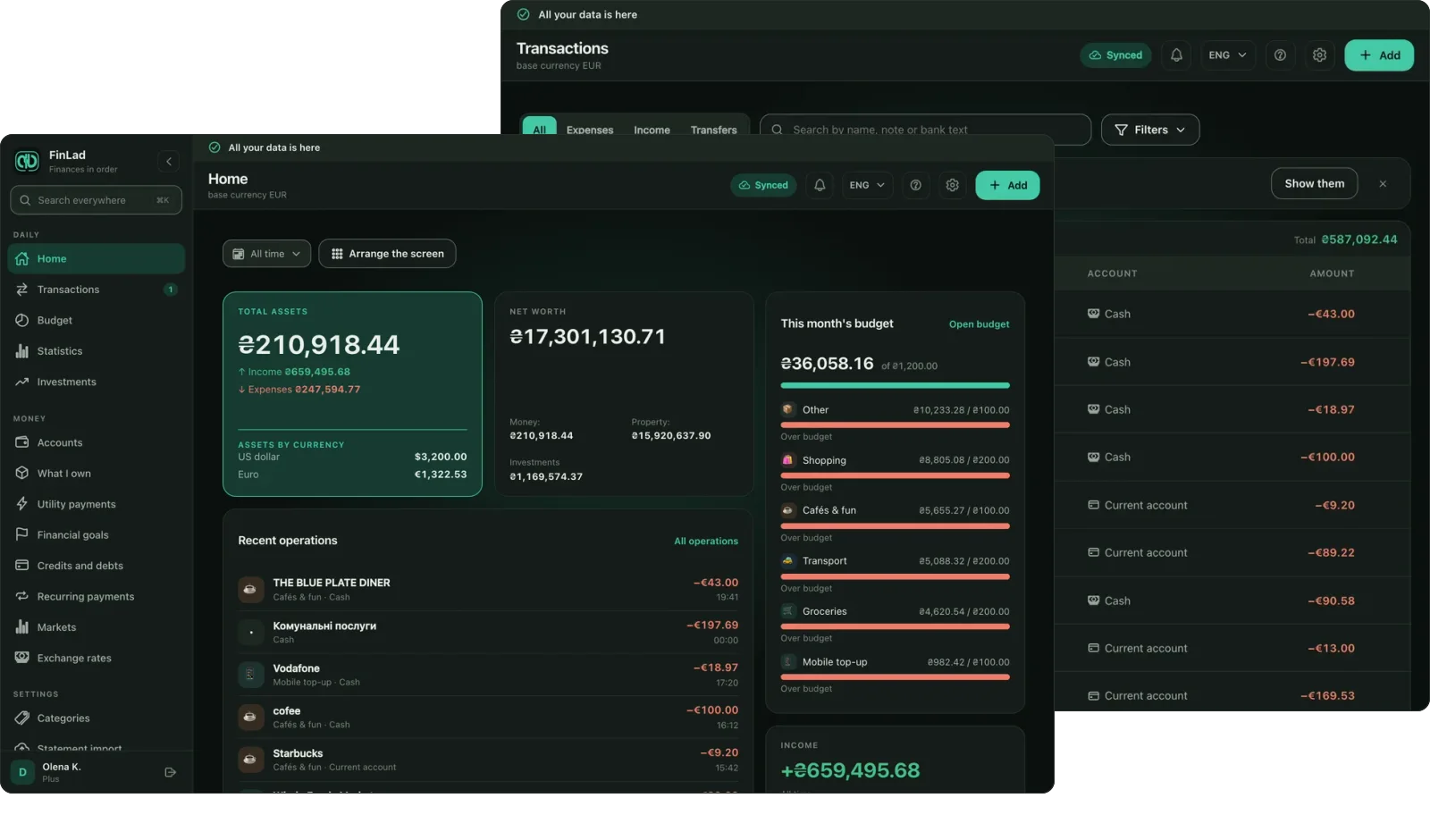
What the big screen is for
Transactions as a table
Sort by column, stack several filters, read the total of what is filtered, and open one transaction beside the list rather than instead of it.
Driven from the keyboard
⌘K opens any section and any action. Forms arrive as a panel on the right, so whatever you are working on stays in front of you.
Statistics with room
Seven tabs, widgets you can rearrange, and a way from any figure down to the transactions it is made of.
The same ledger
Not an export and not a second database: what you write in the browser shows up on the phone, and the other way round, as soon as both are online.
The screens
Real captures of the web client. Switch the site's theme and the gallery follows it — light or dark.
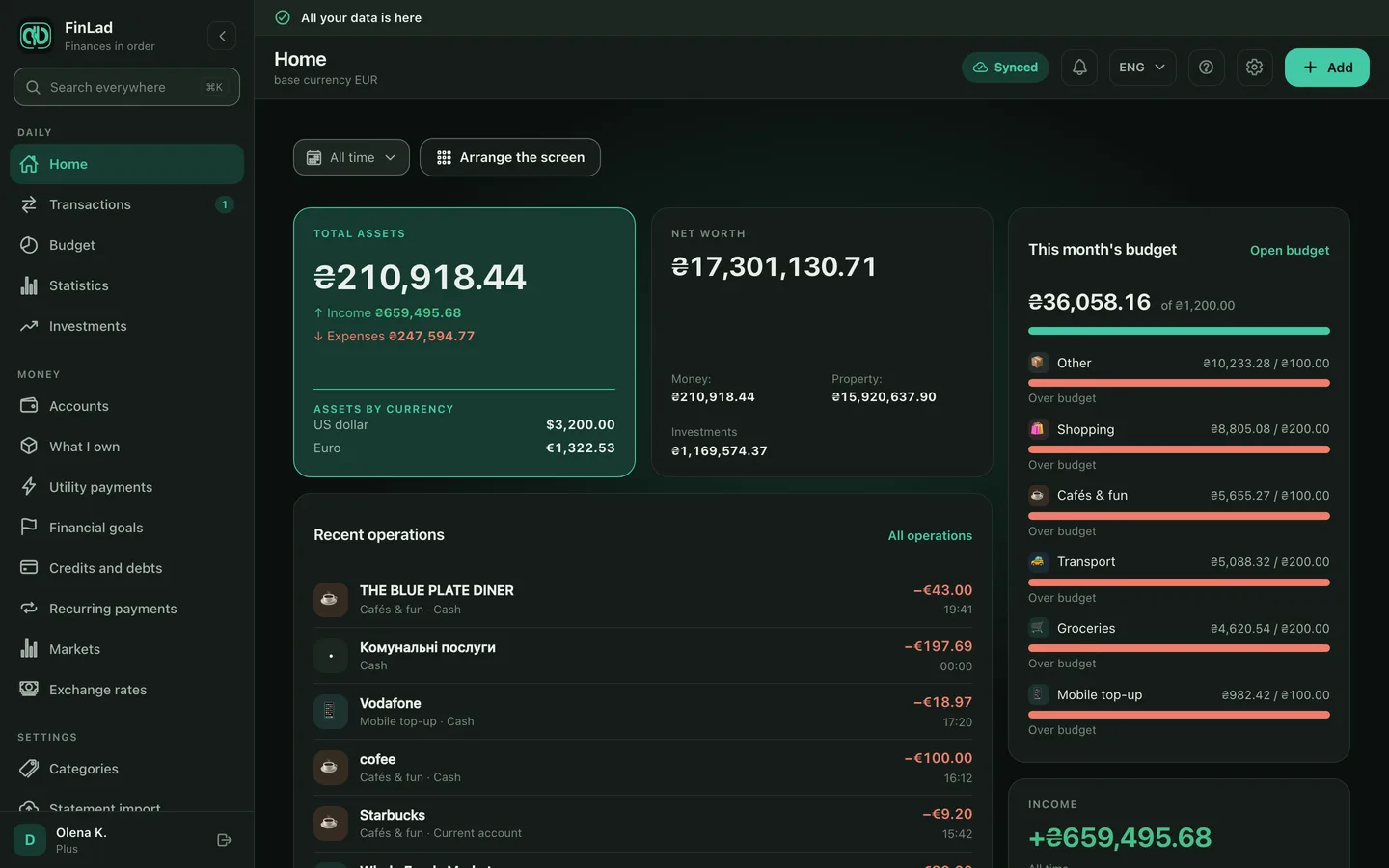
Home: widgets you can rearrange and set up your way.
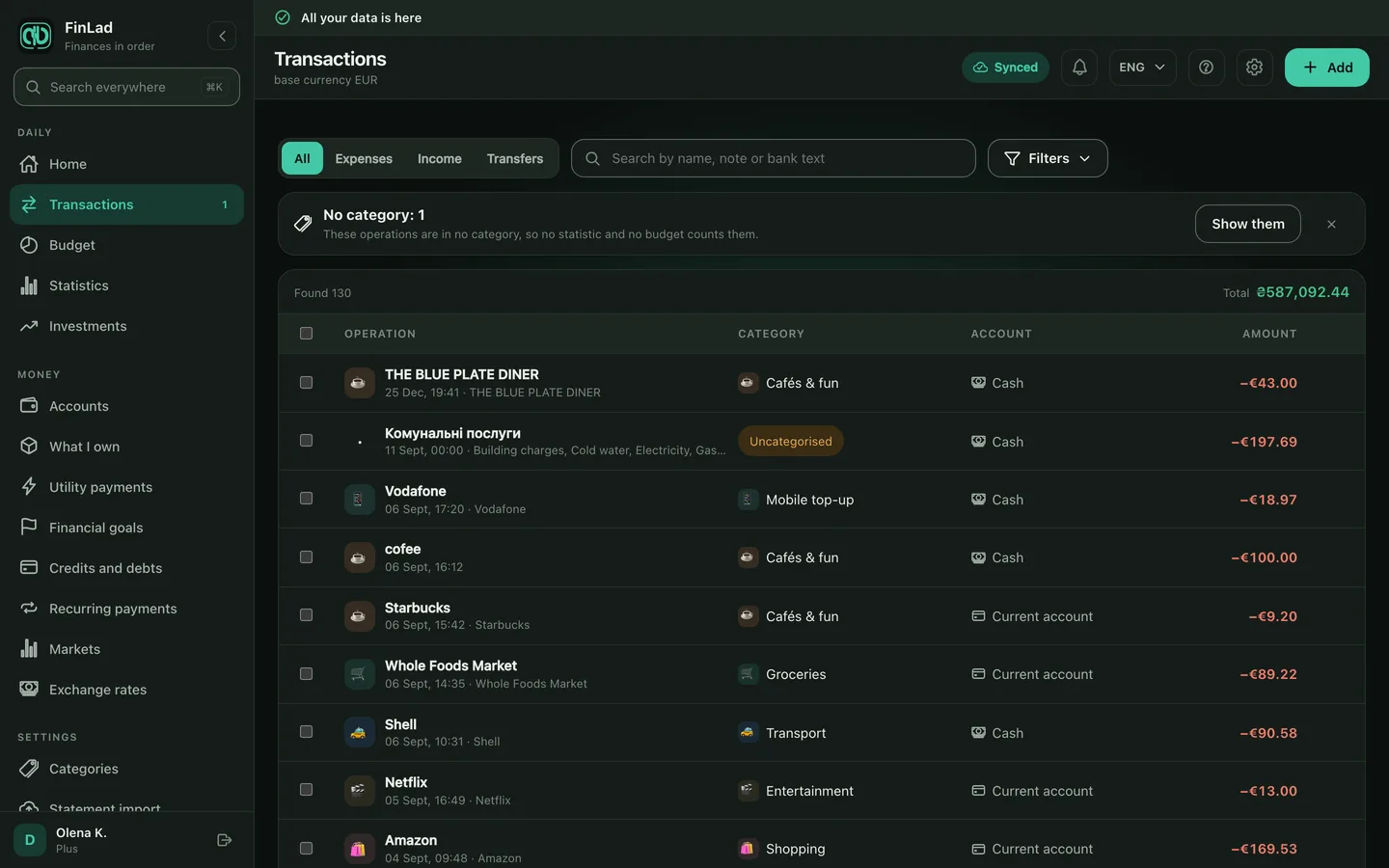
Transactions: the table, the filters, and one record open beside them.
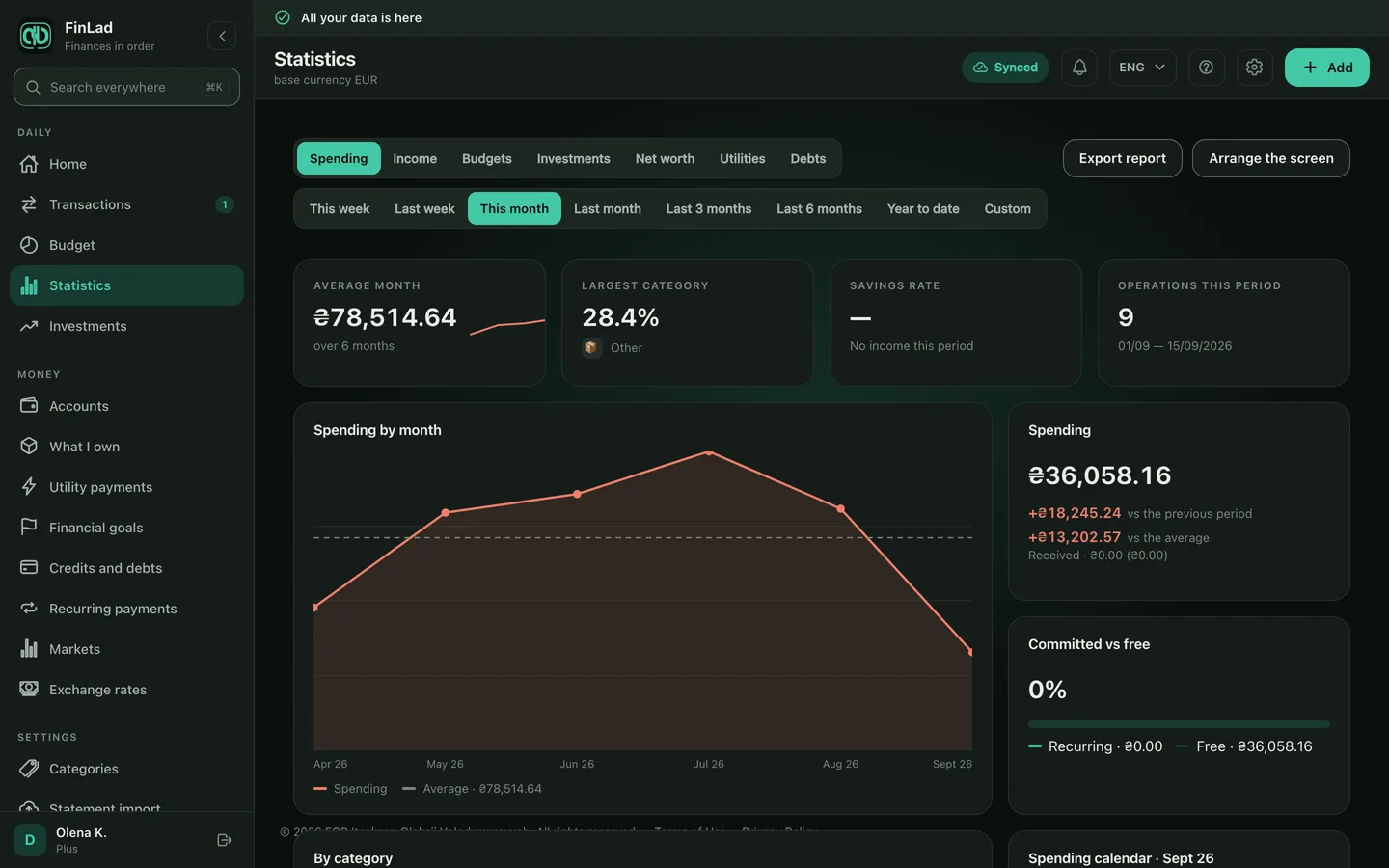
Statistics: seven tabs, and a way into the transactions behind any figure.
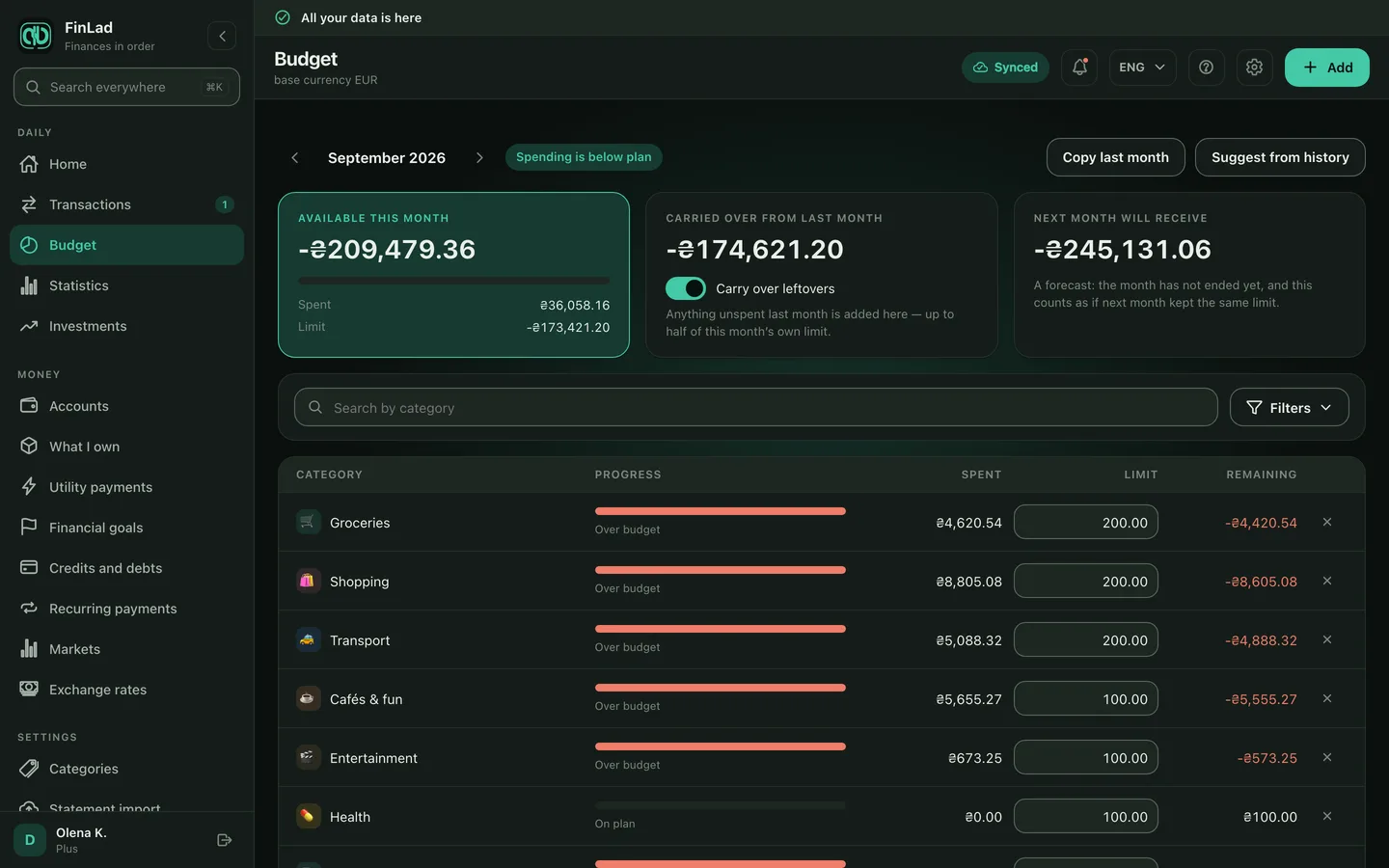
Budget: per-category limits and what is left of them this month.
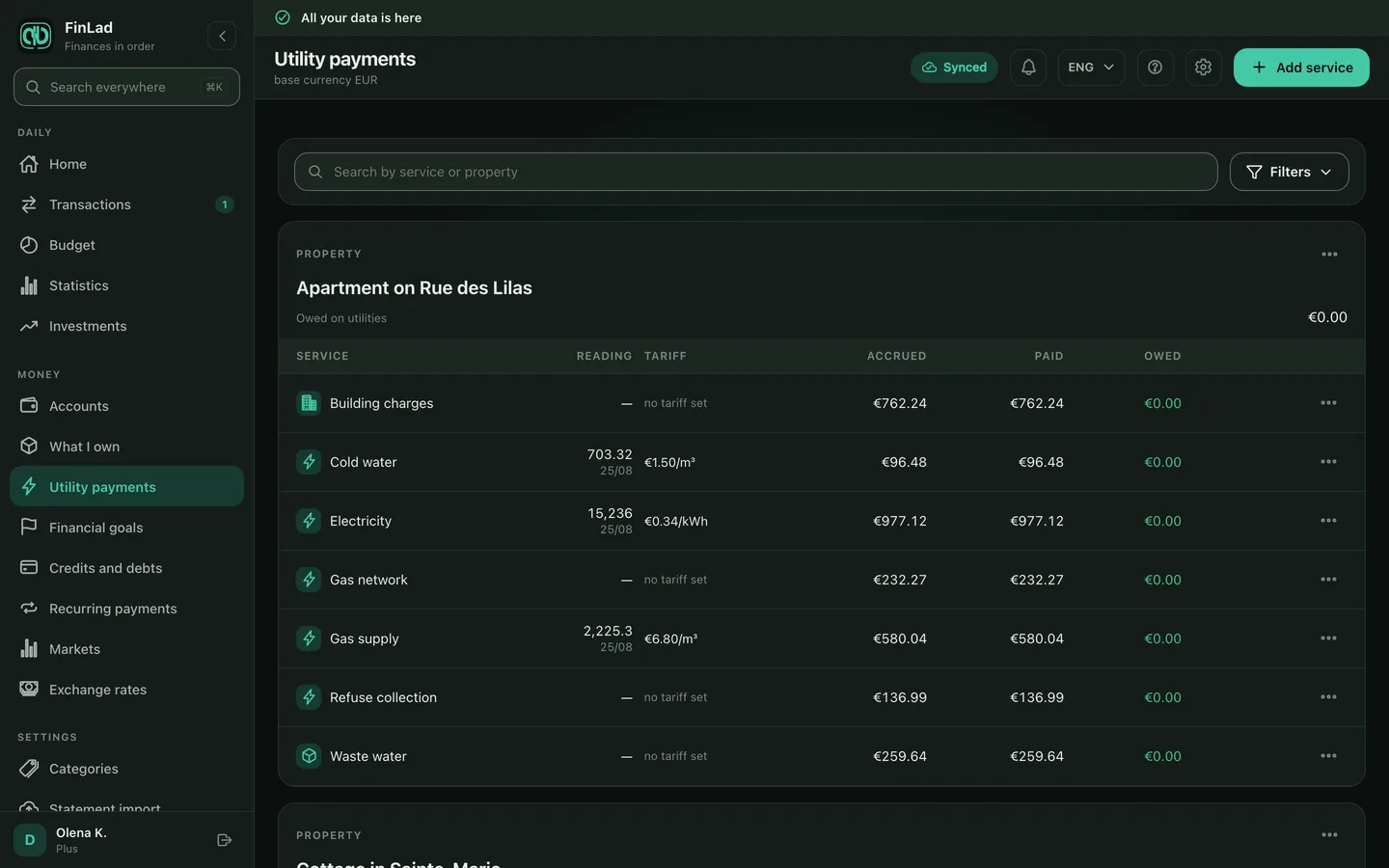
Utility payments: readings, charges, and several services settled at once.
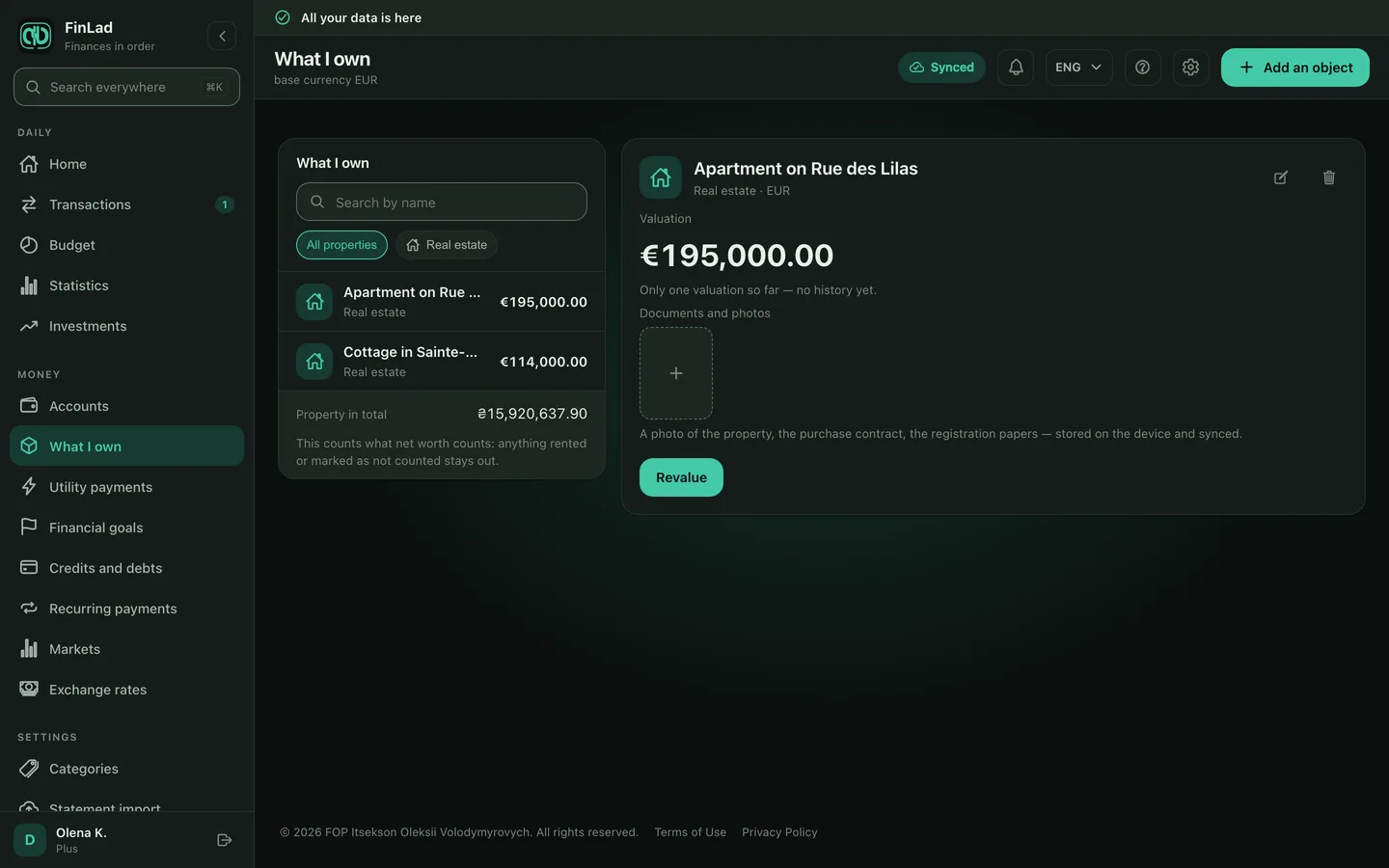
What I own: property, cars and the rest, inside the net-worth picture.
What the browser will not do, on purpose
A browser is weaker than a phone, so the web client takes on less. These are the limits worth knowing before you open your finances on a work laptop.
An account is created in the app only — the browser signs in to one that already exists. The browser never mints an encryption key: it receives one from your phone or from your recovery code. By default nothing is left in the browser — the ledger lives in the tab and goes with it. «Remember the ledger in this browser» is its own question, and on a shared computer the better answer is no. Signing out clears the stored copy and its key from this computer. Your records are not deleted: they stay on your phone and on the server, and come back the next time you sign in.
Getting started
- 1Open app.finlad.site on a computer.
- 2Sign in the way you do in the app — with a passkey, Google or Apple — or confirm from the phone by scanning a QR code.
- 3Approve the key hand-over on the phone — without the key the browser cannot read your ledger. It opens as soon as the key arrives.