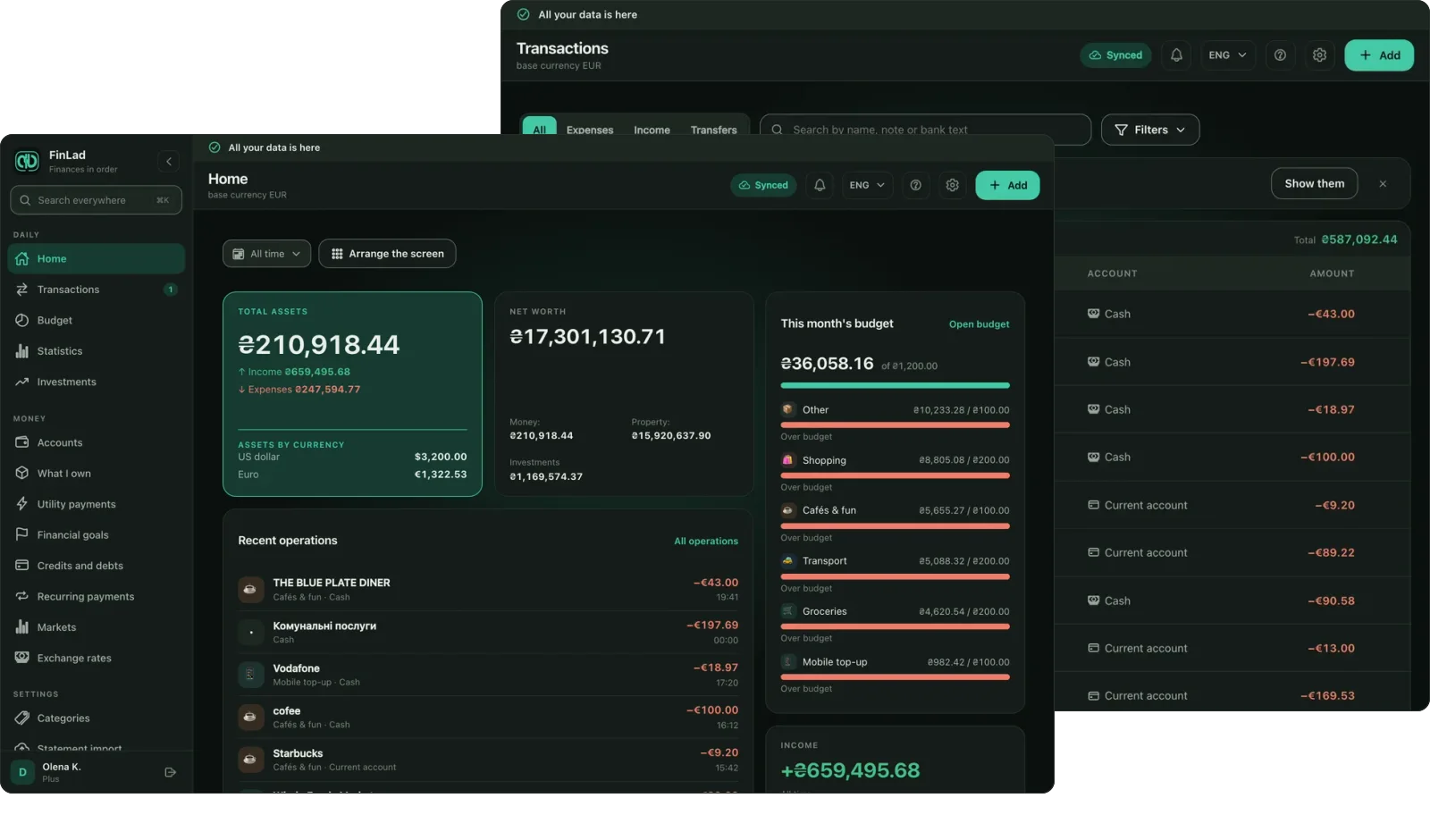
More than income and expense tracking: budgets, utility bills, investments, property and vehicles — the full picture of your net worth in one app. Works offline, data stored in the EU.
Now on Google Play and the App Store. Android and iOS are the same app, with the same features.
Works without a connection once you are signed in
End-to-end encrypted — only you hold the key
Ukrainian bank statement import
No ad trackers
AI that does the boring part
Photograph the receipt — the app does the rest
AI here is not decoration and not a chatbot. It does exactly the work people abandon after the second week: reading receipts, sorting expenses into categories and parsing bank statements.
1
Photograph the receipt at the till
2
Date, amount, merchant and line items recognized
3
Expense saved in the right category
Receipt scanning with line items
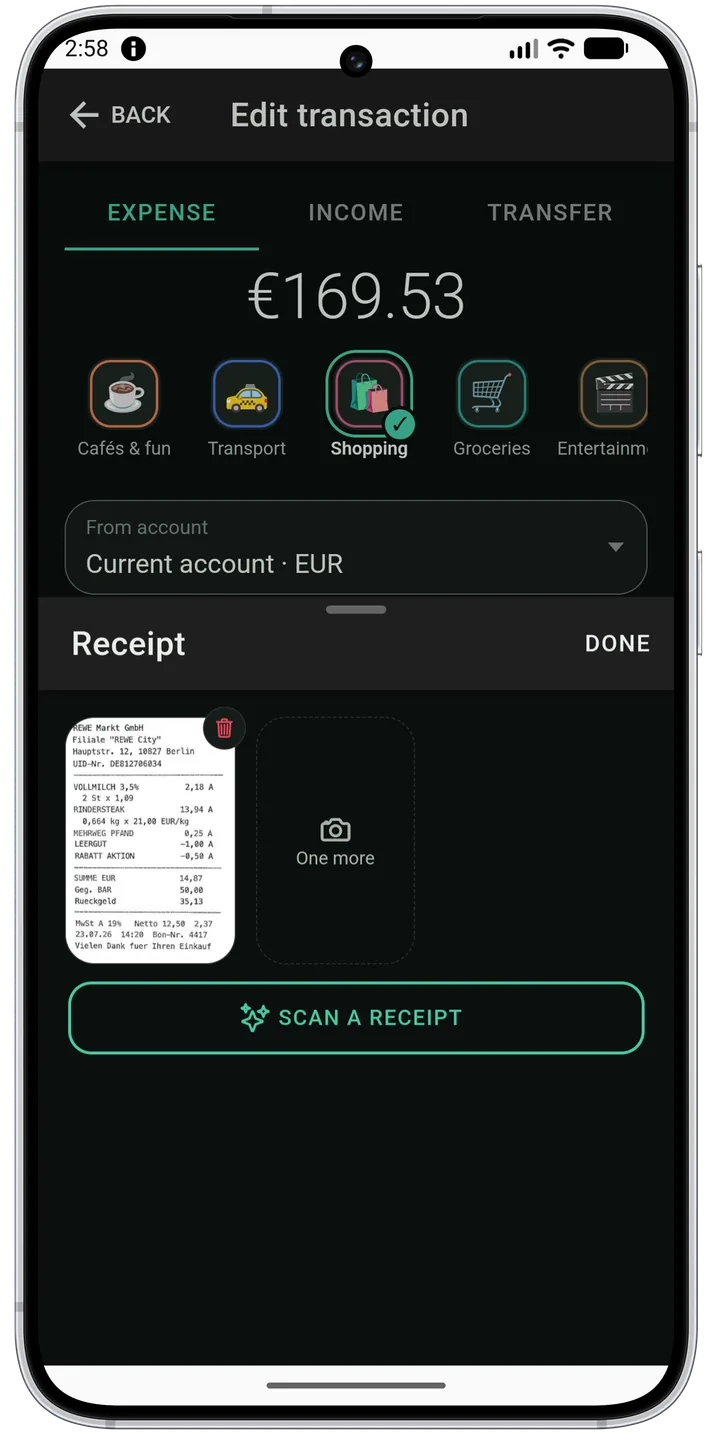
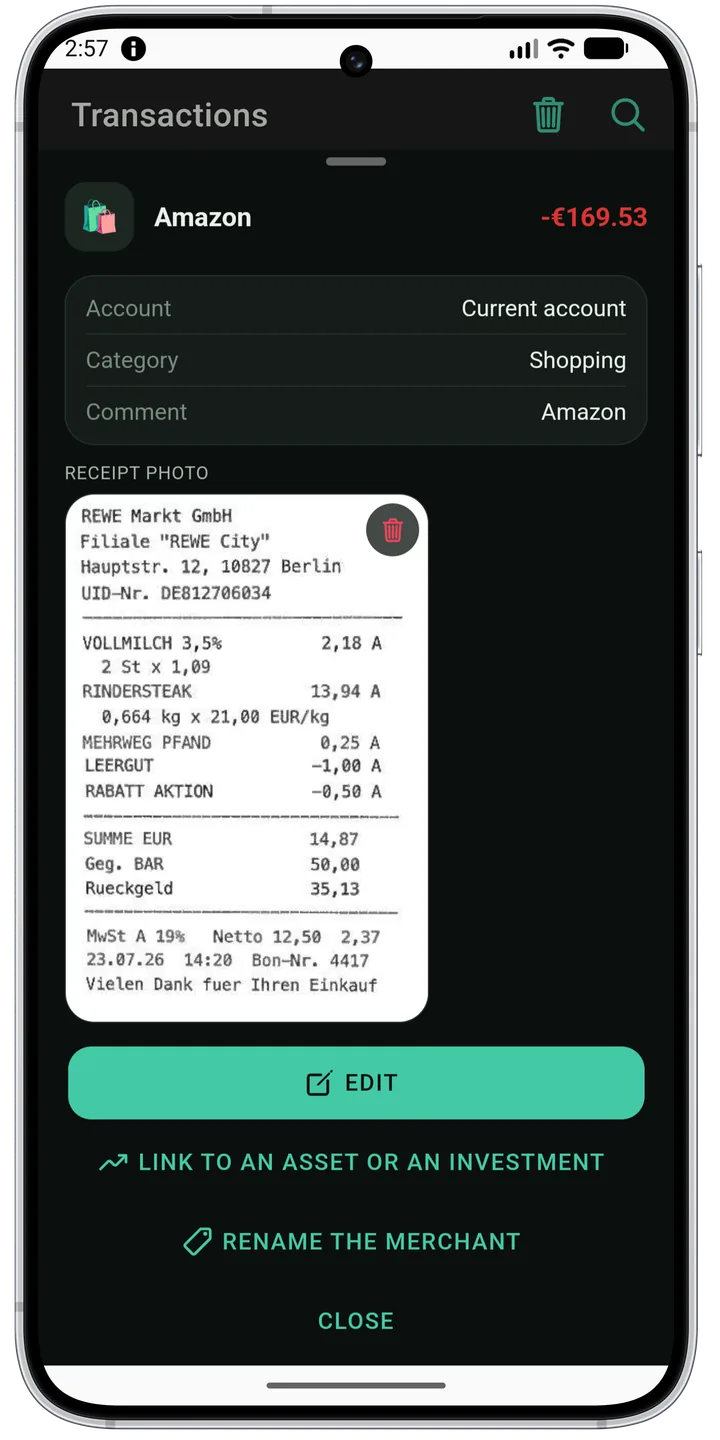
A photo becomes an expense: date, amount, merchant and, when you need them, individual line items. When the receipt carries a fiscal QR code, the data is read straight from it — instantly, with no connection, and without touching your AI allowance. Image recognition steps in only when there is no code, or it will not read.
Smart auto-categorization
The app works out an unknown merchant once and immediately turns the answer into a rule of your own. Every later expense from that shop is then categorized on the device itself — instantly, with no connection and no AI allowance spent. The longer you use it, the less often it is needed at all.
Any bank’s statement, PDF included
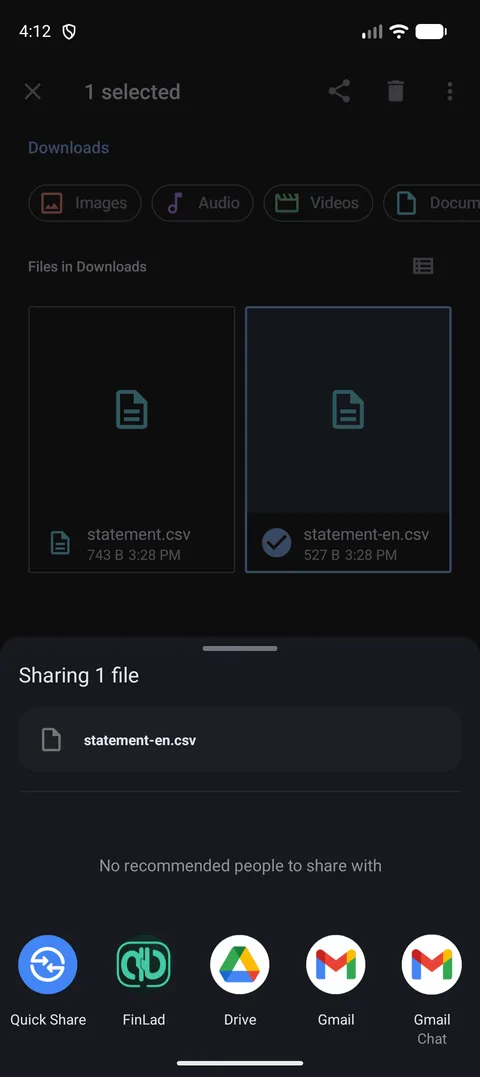
CSV, XLSX and PDF. Columns are detected automatically — even when the headers are Windows-1251 encoded or carry a Latin letter in the middle of a Ukrainian word. Duplicates are not imported twice, and an ATM withdrawal becomes a transfer to Cash.
One switch turns the AI off
Settings carry a single switch that disables every AI feature. The app stays fully functional afterwards: QR receipts, on-device recognition, categorization rules and statement import all work without ever calling a model.
Any bank, any currency
Your accounts, wherever they are
No integration to wait for and no country to be supported in: a statement file and a few taps, and the whole picture adds up in one currency.
Universal import
CSV, XLSX or PDF from any bank. You point out the date, amount and description columns once and the format is remembered. Duplicates are filtered out when a file is uploaded twice, and an ATM withdrawal becomes a transfer between accounts rather than an expense.
Any base currency
Accounts in different currencies roll up into one picture at rates that update on their own. You choose what the total is counted in.
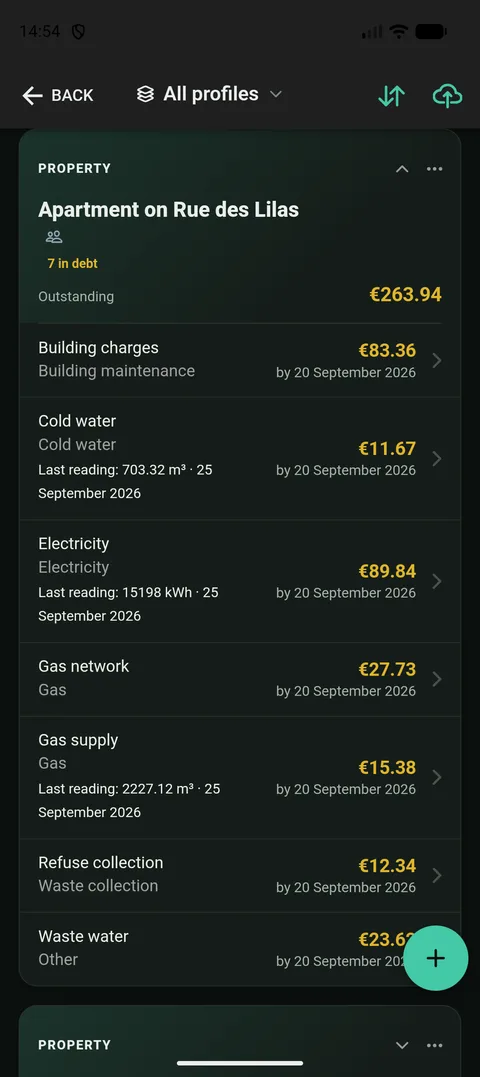
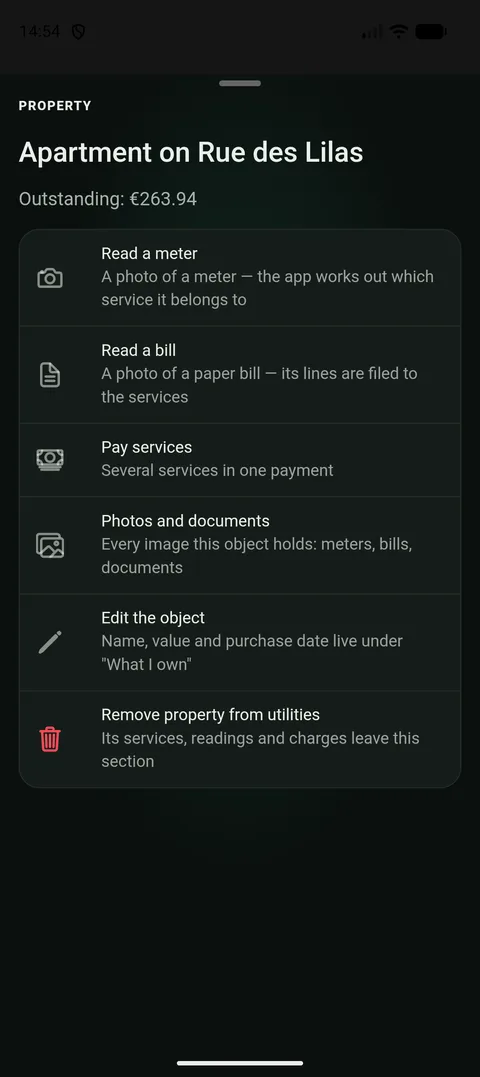
Utility services
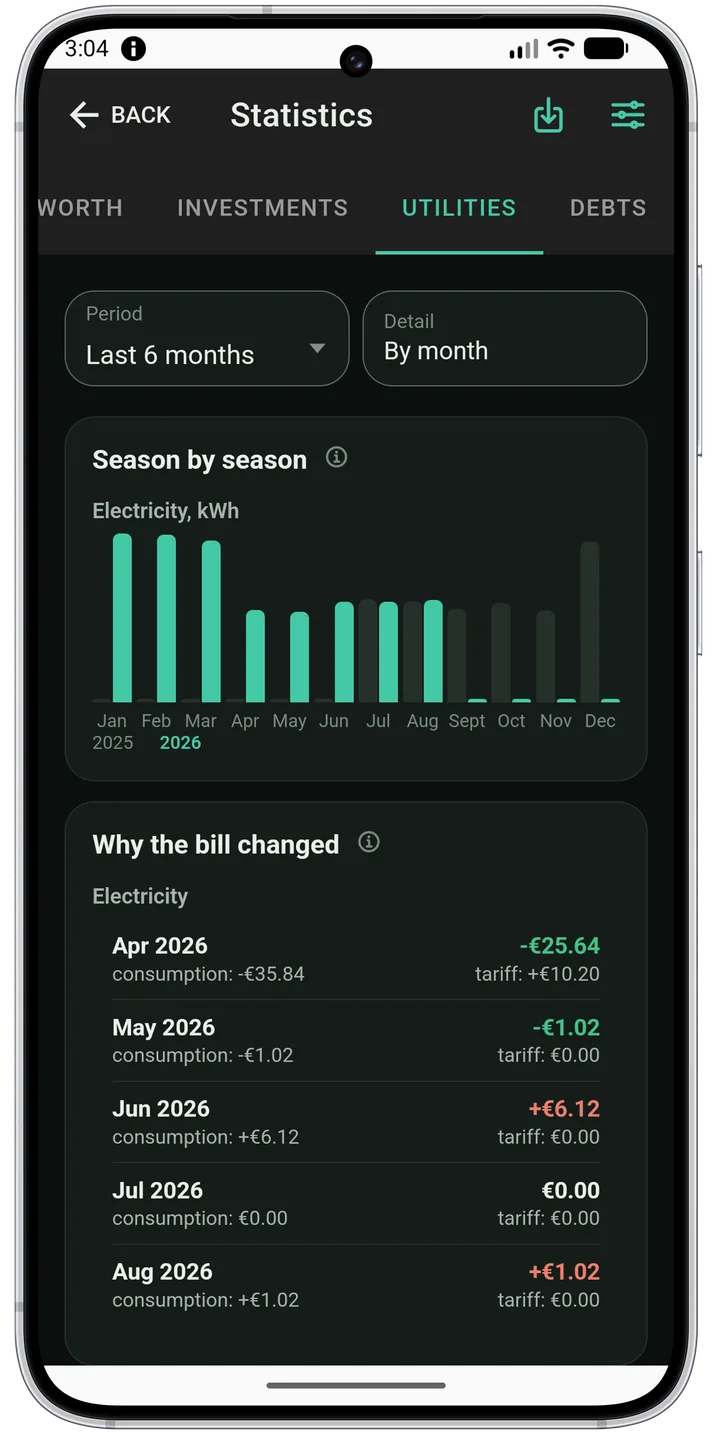
Meters, readings, tariffs, charges and payments — per address. Reading history is kept, so both consumption and debt are visible.
Features
Everything about money, in one place
Daily tracking, planning and the full picture of your capital. Nothing superfluous, nothing missing.
Offline first
A connection is needed exactly once — to sign in. After that the app is fully usable with no connection: your data lives on the device, not on a server, and sync catches up when you are back online.
Accounts and transfers
Cash, cards, deposits and credit limits. Transfers between accounts are one operation, with an explicit balance correction for when reality and the ledger disagree.
Credits, loans and debts
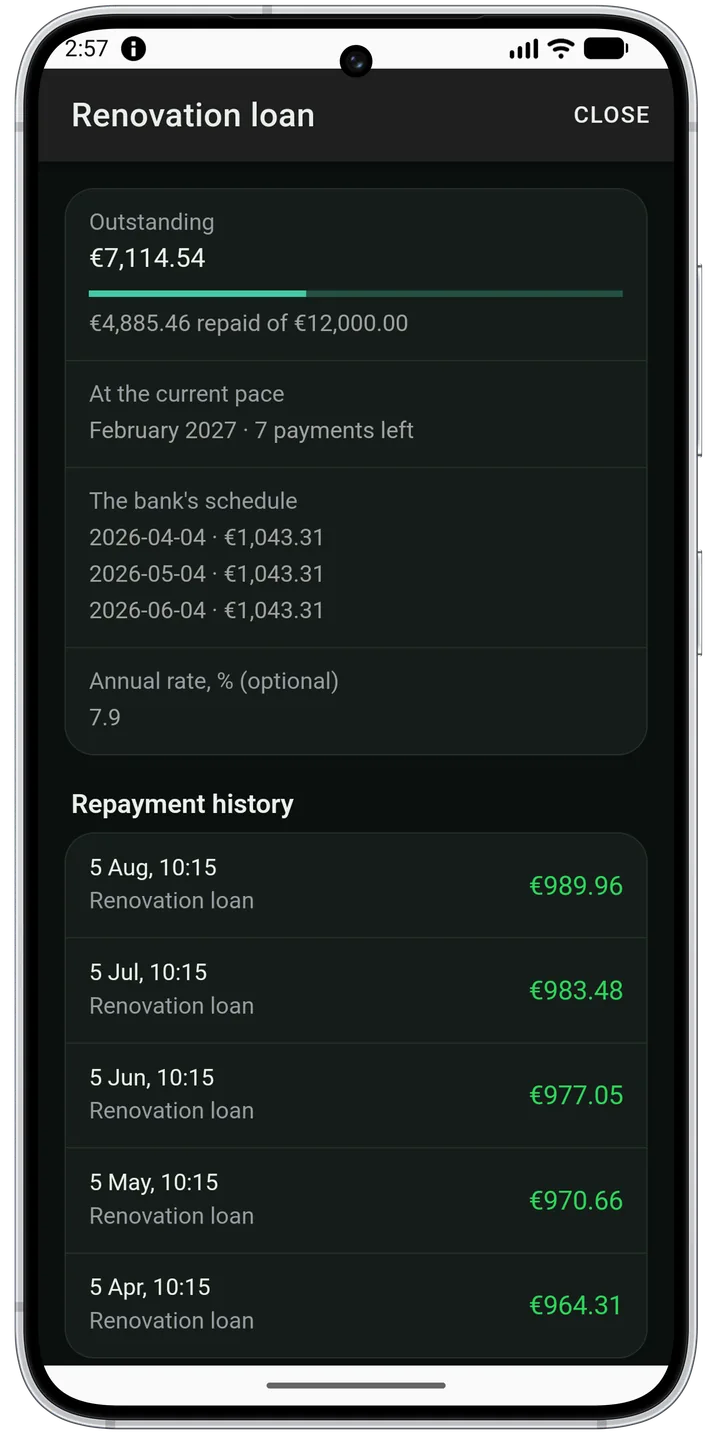
A loan, a mortgage, an installment plan or money owed to a friend — with what is left, what is already repaid, and how much of each payment went to the debt rather than to interest and the bank’s fee. A down payment is not counted as debt, a credit taken out before you installed the app is entered as it stands today, and a mortgage shows how much of the flat is already yours. The instalment the bank took by standing order is found in your ledger instead of being recorded twice.
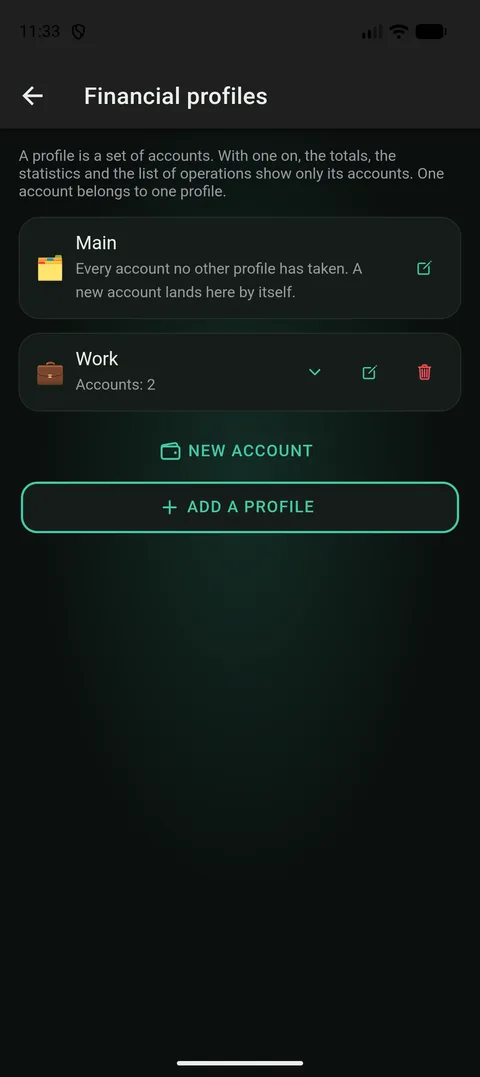
Financial profiles
Work money apart from personal money — and both at once. A profile is a set of accounts: switch it on and the totals, the statistics and the budget show only those; switch it off and you see the whole. An account belongs to one profile, so there is nothing to decide per transaction.
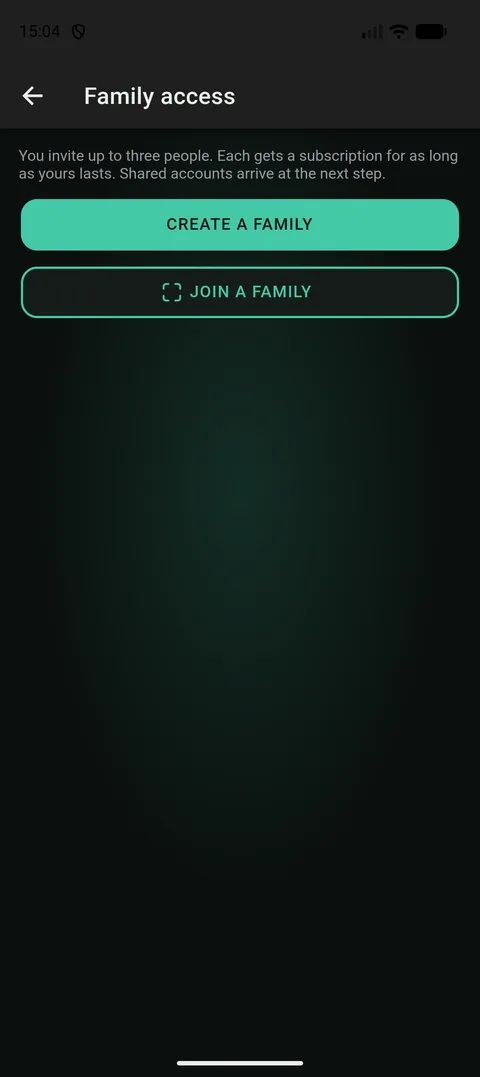
Family access
An account or a flat can be shown to the people you live with — with its history, its plan and its utility bills. The rest of your money stays yours. The key travels from phone to phone, the server never holds it, and not even the family sees your receipt photos.
Budgets with alerts
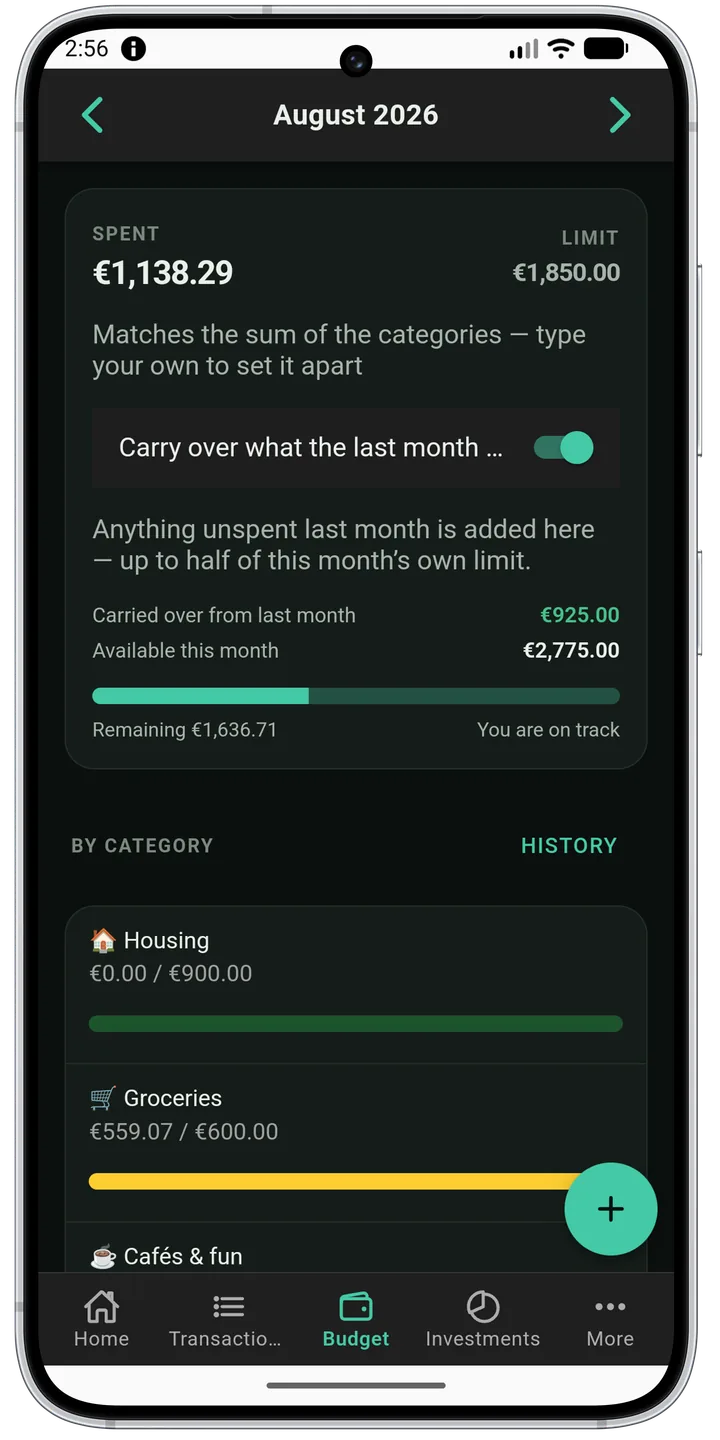
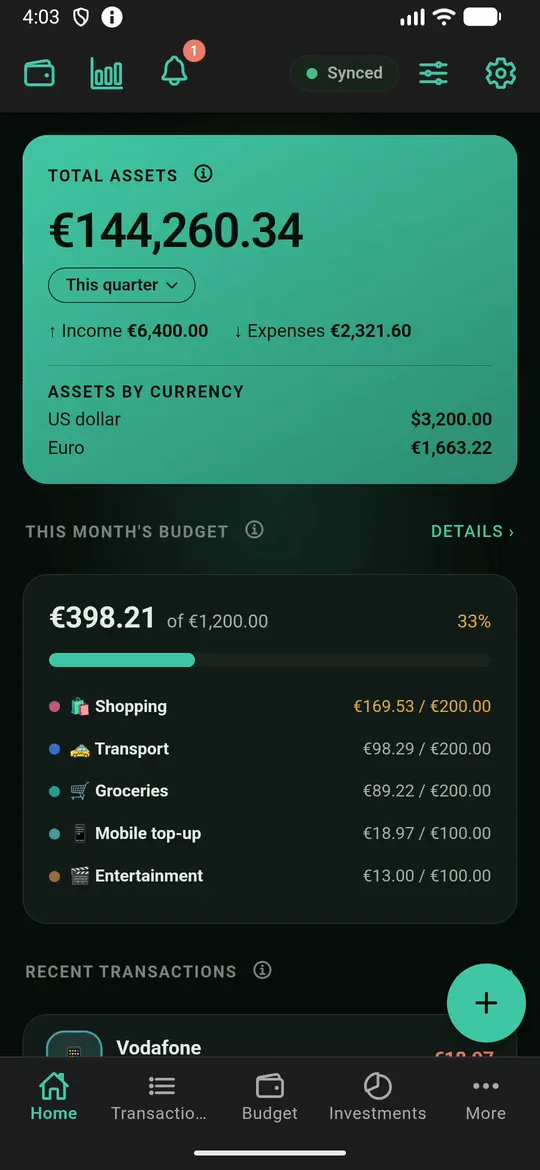
Monthly limits per category, with alerts at 80% and 100% delivered as a device notification rather than as an after-the-fact line in a report.
Statistics and reports
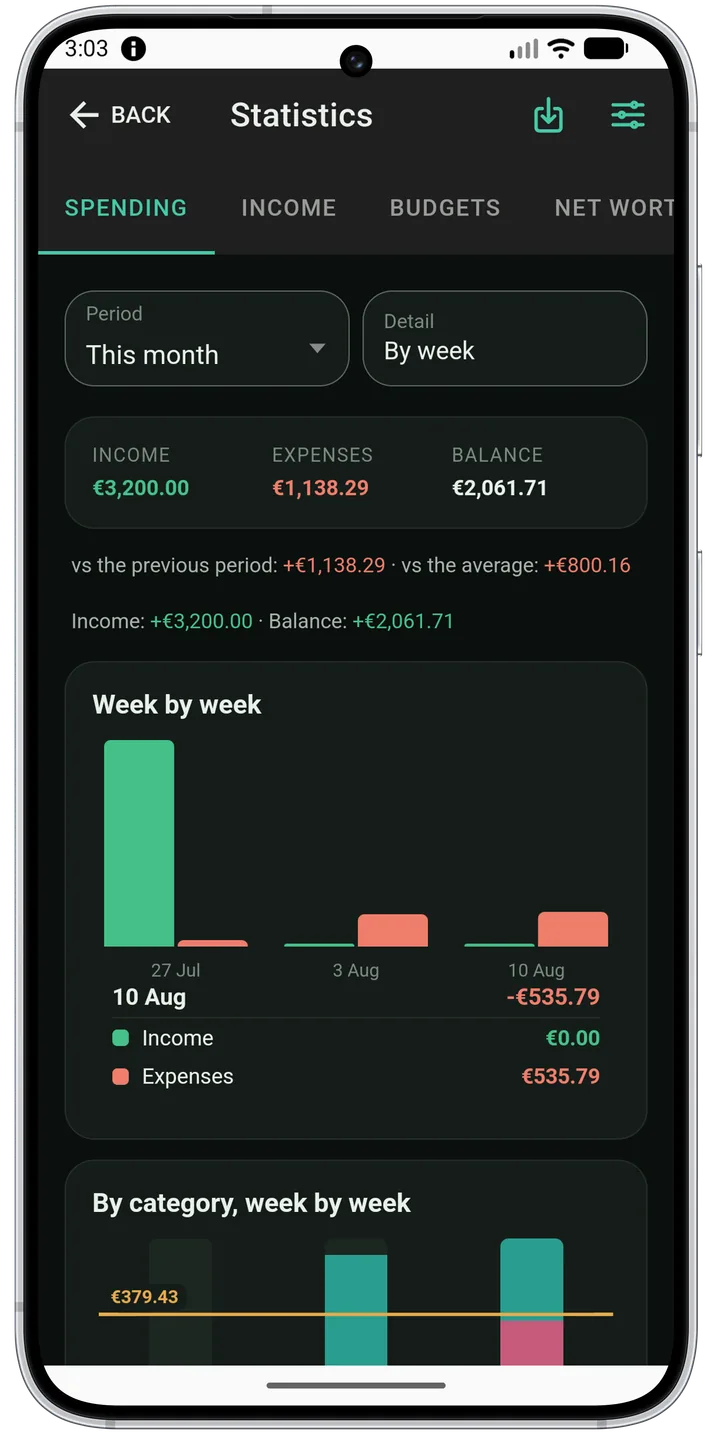
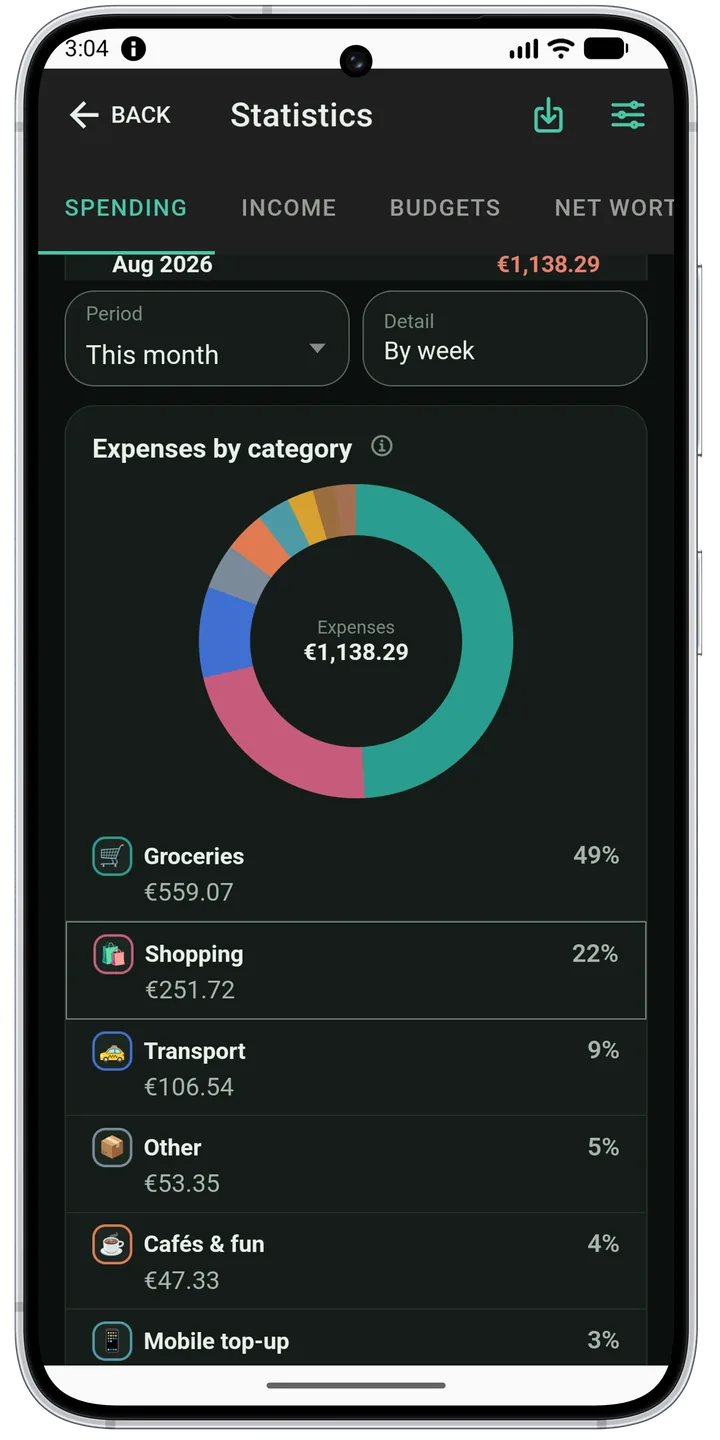
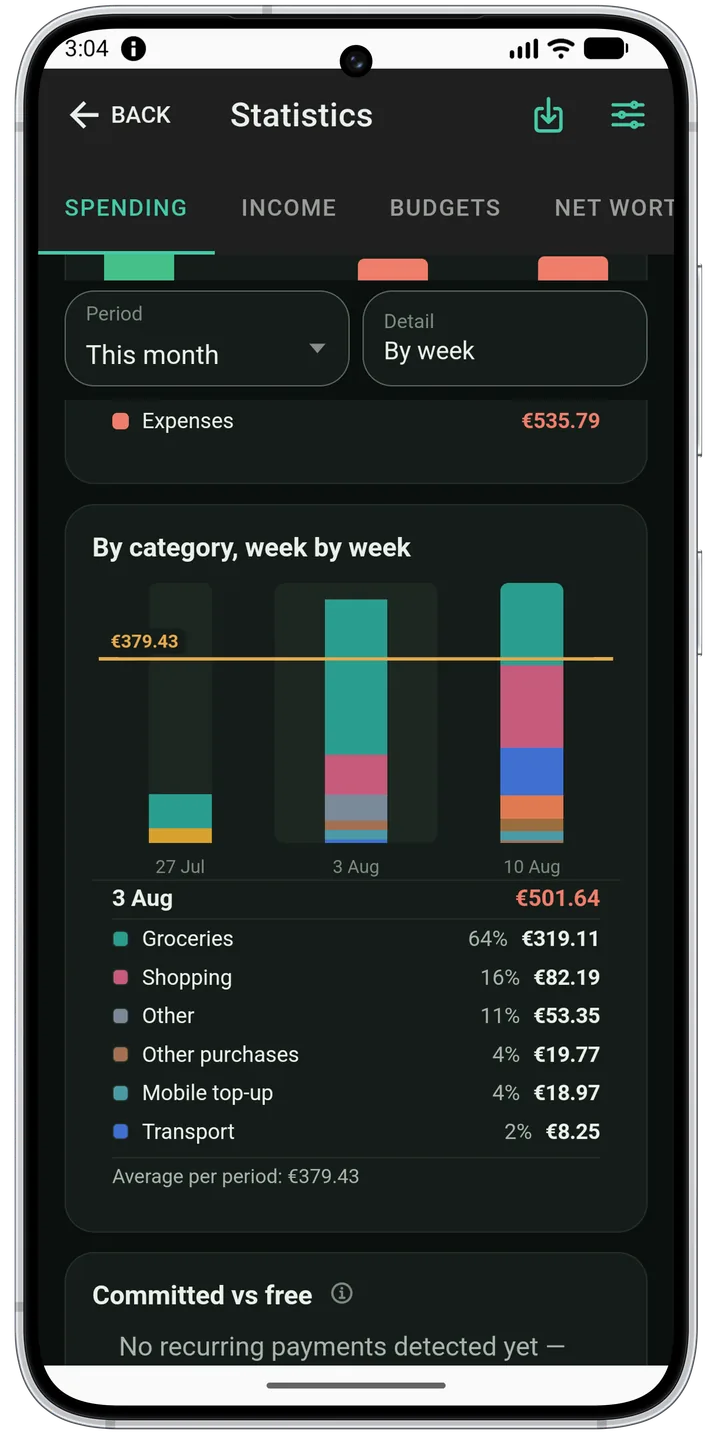
Trends over periods, distribution by category and a drill-down to the individual transaction. Multiple currencies roll into one.
Investments and markets
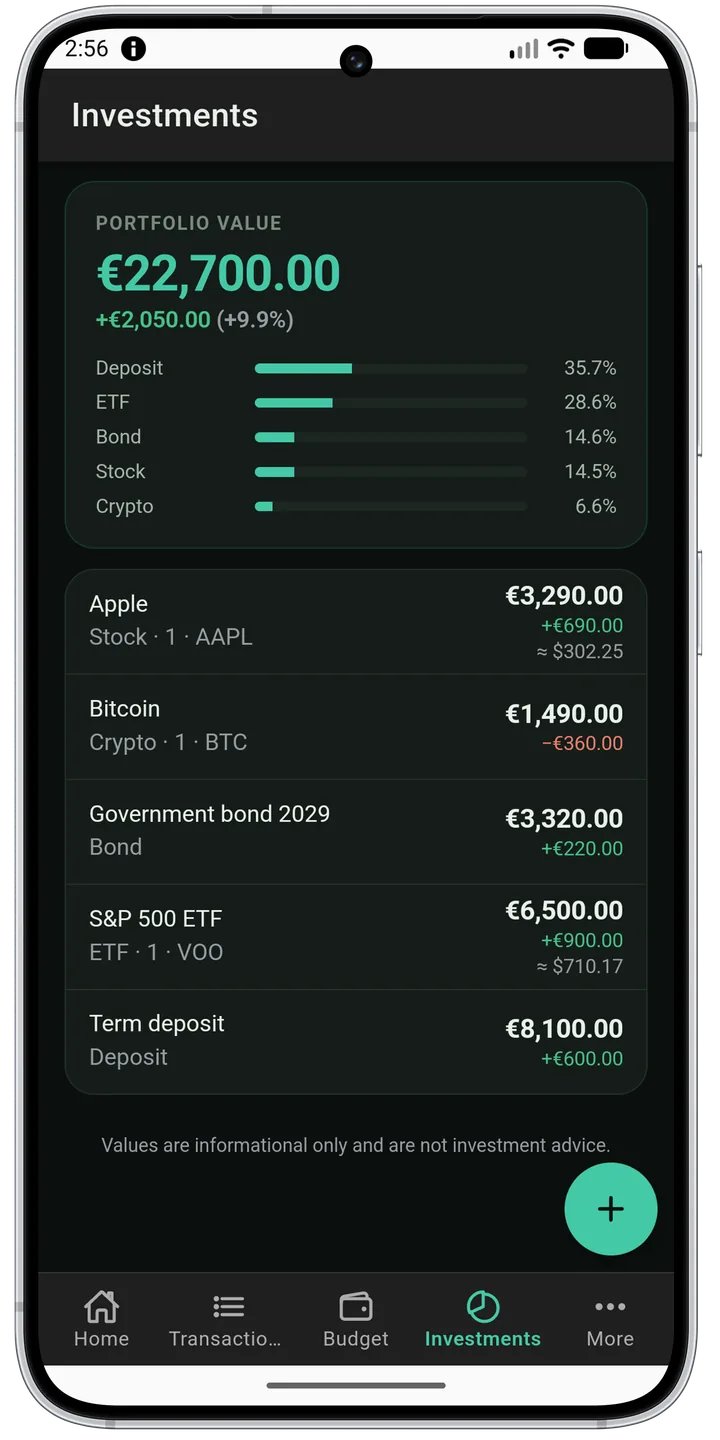
Portfolio, positions, quotes and your own watchlist. Profit and loss shown in the currency you think in.
Property and net worth
A home, a car and everything else you own sit alongside your accounts to give one honest number: what you are actually worth.
Recurring payments
The app spots repeating charges by itself, shows them separately and reminds you in advance.
Home-screen widgets
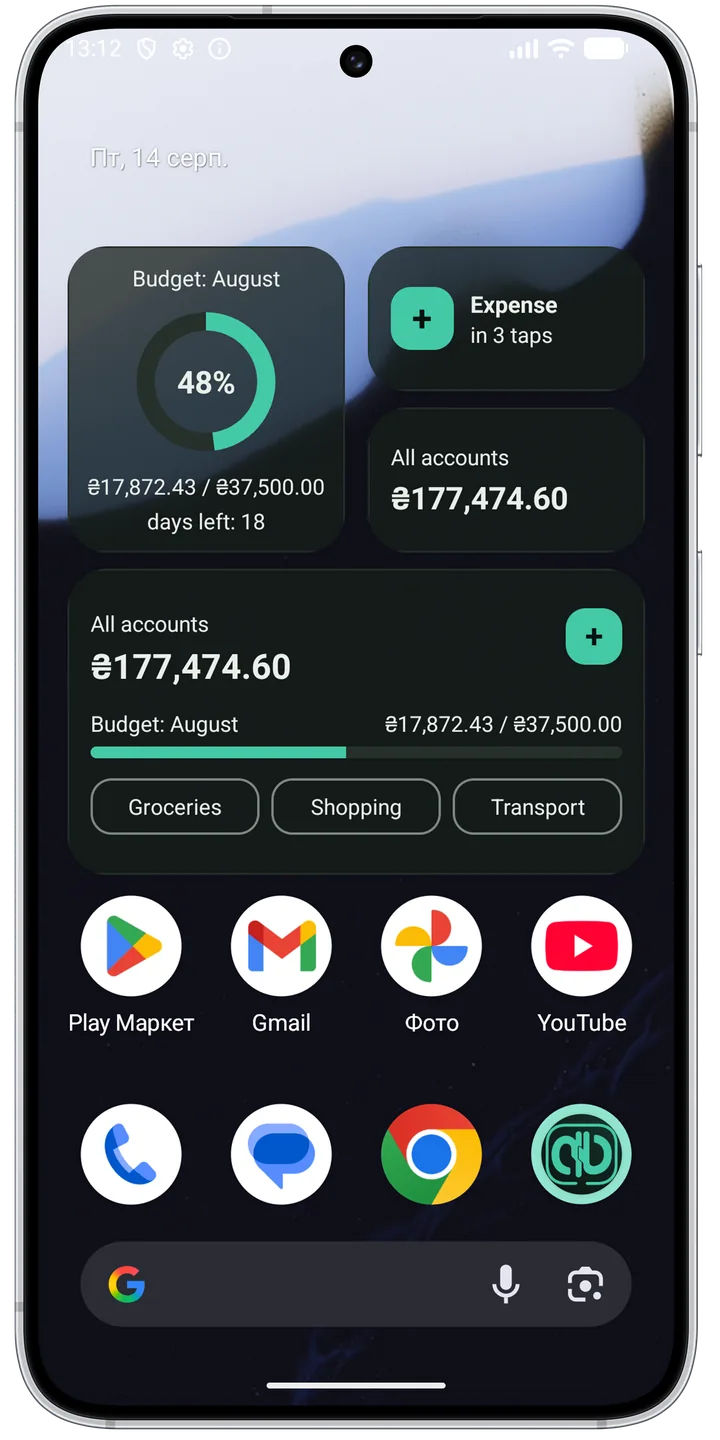
The month’s budget as a ring, the account balance, and recording an expense — without opening the app. Tapping a category opens the form with that category already chosen, so a spend takes two actions. Amounts on the widget are a separate choice, off by default: while it is off, or while the app is locked, the widget shows its label and no figure.
Savings goals
A goal with an amount and a deadline, top-ups from any account, and visible progress.
Cross-device sync
Phone and tablet see the same data. Conflicts resolve automatically and history is never lost.
App lock
PIN or biometrics on entry, and no passwords to remember: sign in with Google, or with a passkey if you prefer.
Search and filters
Search by description, account and period is instant even across years of history — because it runs on the device.
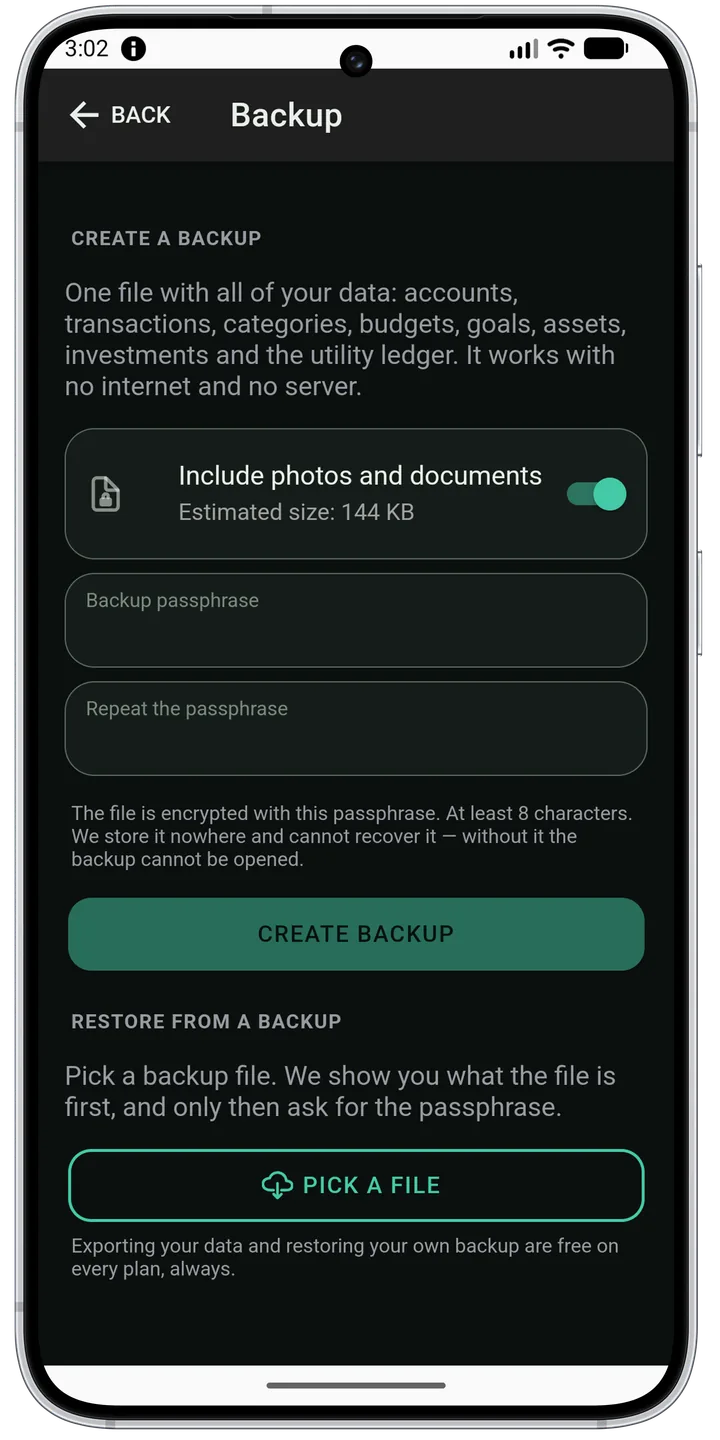
Local backup
Your whole history in one encrypted file on your own device. No server is involved, and only your passphrase opens it. Restoring on a new phone brings every record back exactly as it was — same amounts, same dates, same receipt photos. Works offline and on every tier, which matters most on the tier that has no sync.
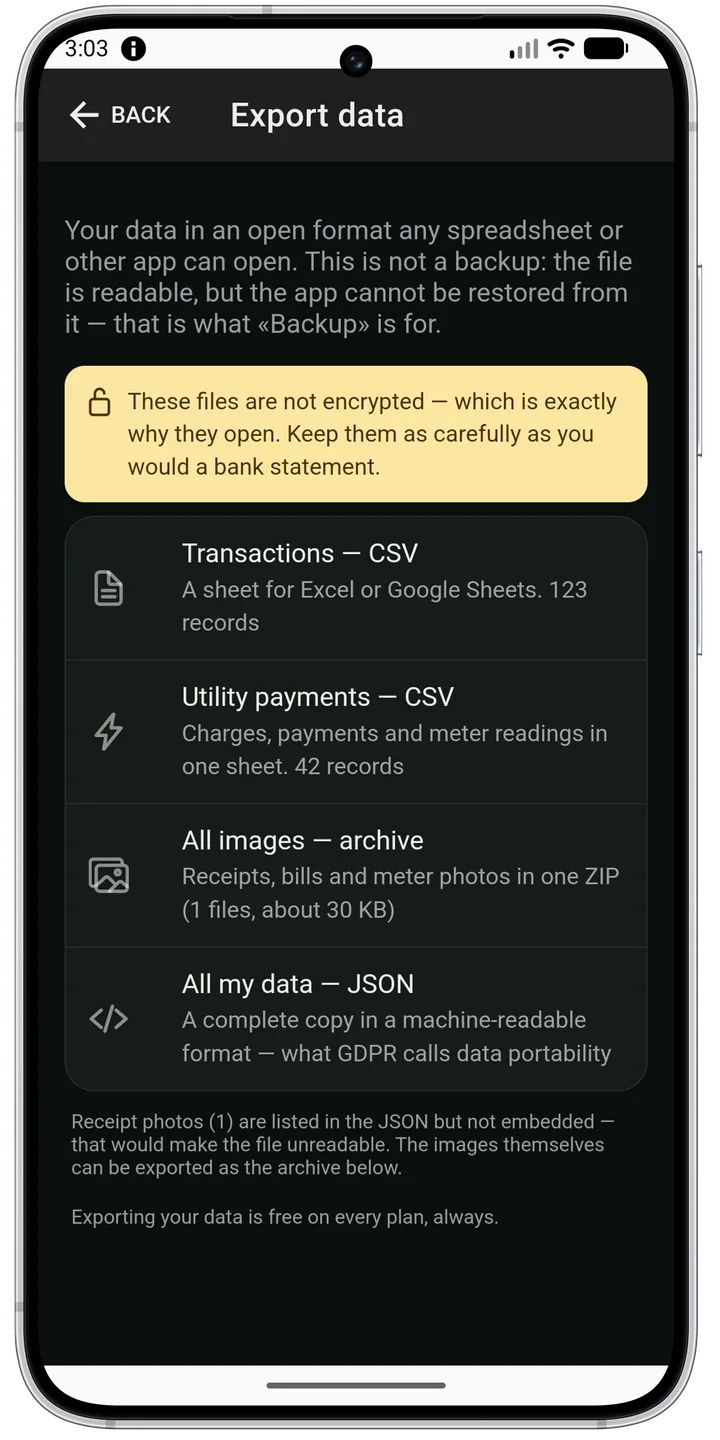
Data export
Transactions as a CSV sheet for Excel or Google Sheets, everything as a JSON file in an open format. It is your data: take it whenever you like, on any plan, without asking us.
Reminders
About a budget, a recurring payment or a meter reading — local notifications, without the noise.
Web client in the browser
The same ledger on a computer: wide tables, several filters at once, and keyboard control. Part of Plus; the account itself is created in the app.
Privacy
Your finances are not the product
A money app sees the most personal thing on your phone. That is why privacy here is not a settings page but the way it is built.
End-to-end encryption
Amounts, balances and budgets, the names of your accounts and goals, the notes you write, receipt and meter photos — all of it is scrambled on your own phone before it ever leaves for the server. The key to unscramble it exists only on your devices, so what sits on the server is unreadable jumble: neither we nor anyone who gets into the database sees your money.
Data stored in the EU
The server is hosted in the European Union. Backups live there too.
No ad trackers
The app carries no advertising SDK, no advertising identifier and no behavioural analytics. It earns from subscriptions, not from data.
The free tier uploads nothing
On the free tier sync is off by design: your data stays on one device and never reaches the server at all. On the paid tier you can switch it off too — if you would rather your records stayed with you.
AI can be switched off
One switch disables every model call. Amounts, balances and your account names never travel there in the first place.
Deletion in one tap
A button in settings deletes your account and everything the server held about you, together with this device’s copy.
Bank tokens are encrypted
Your bank access token is stored encrypted, and the connection to the server is HTTPS only.
What it looks like
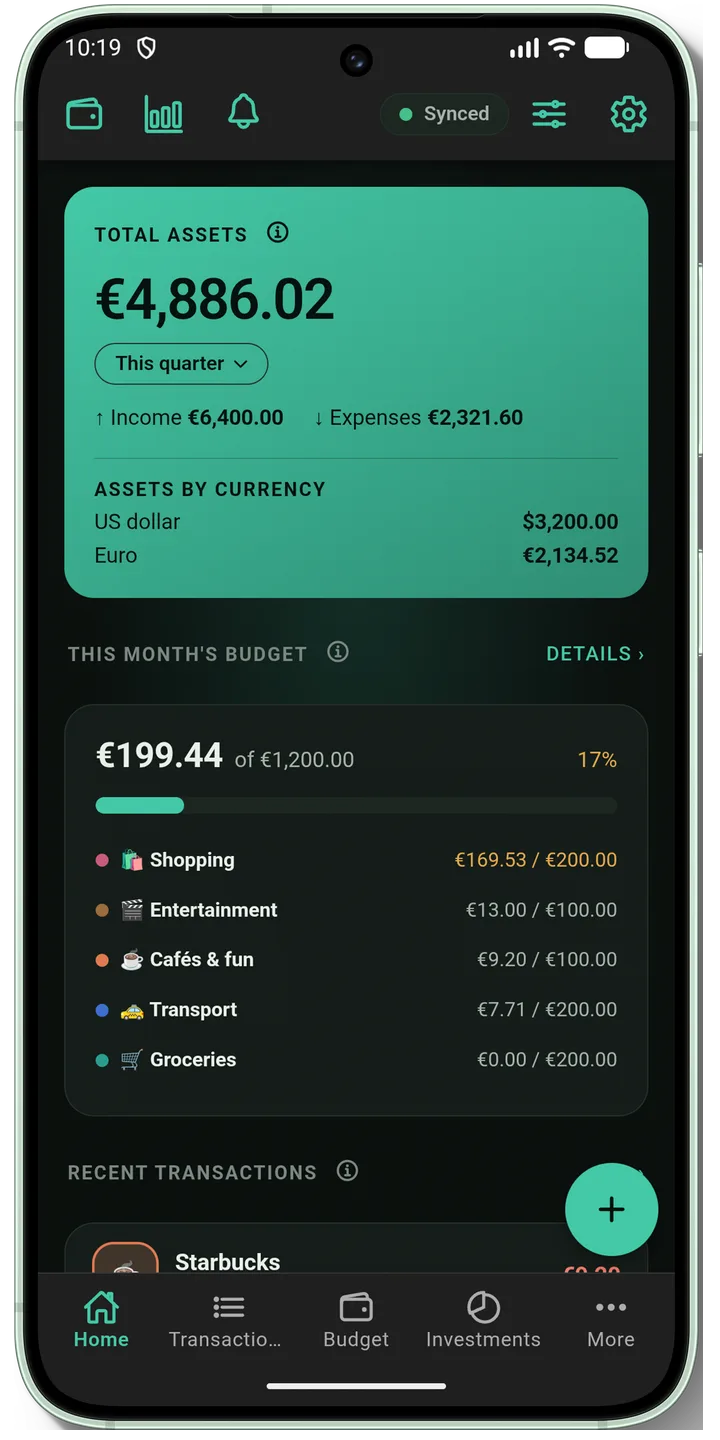
A calm interface where the number is the hero
Real screens from the app. Switch the website theme to see the interface in its light or dark appearance.
Shown in dark theme
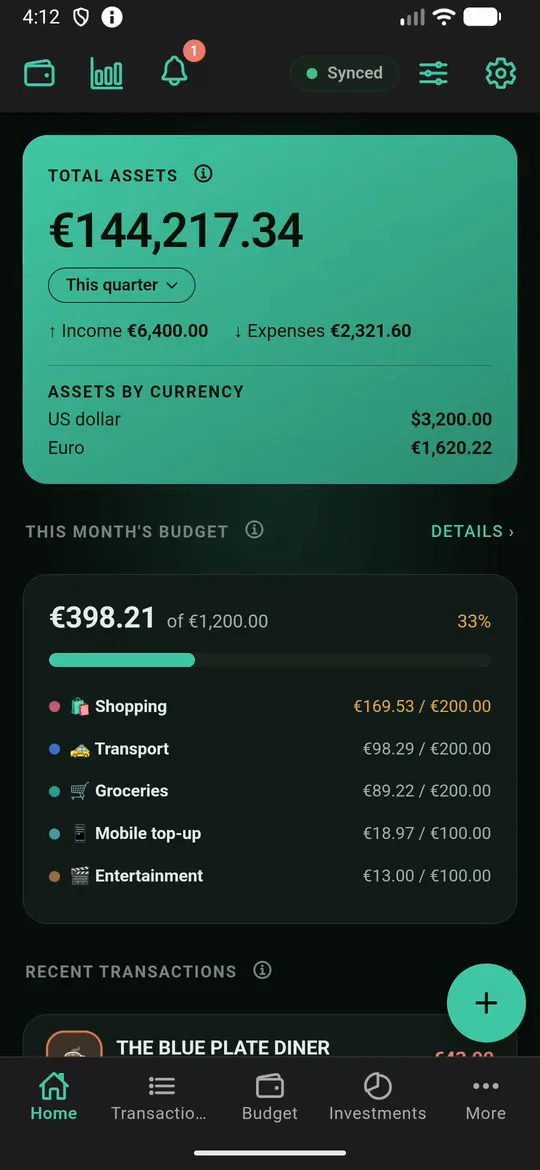
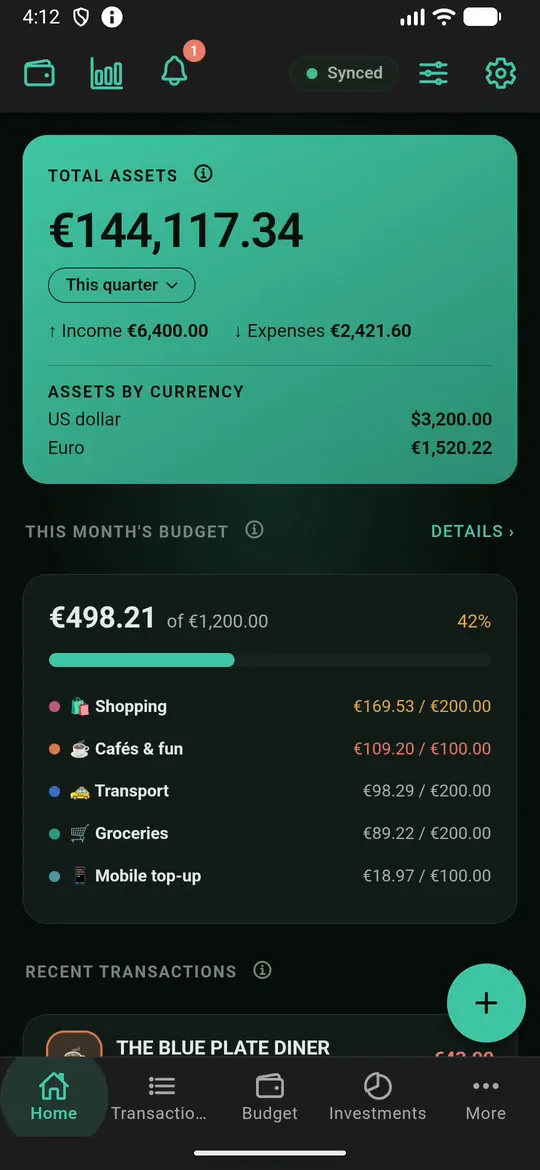
Home: assets, income and spending
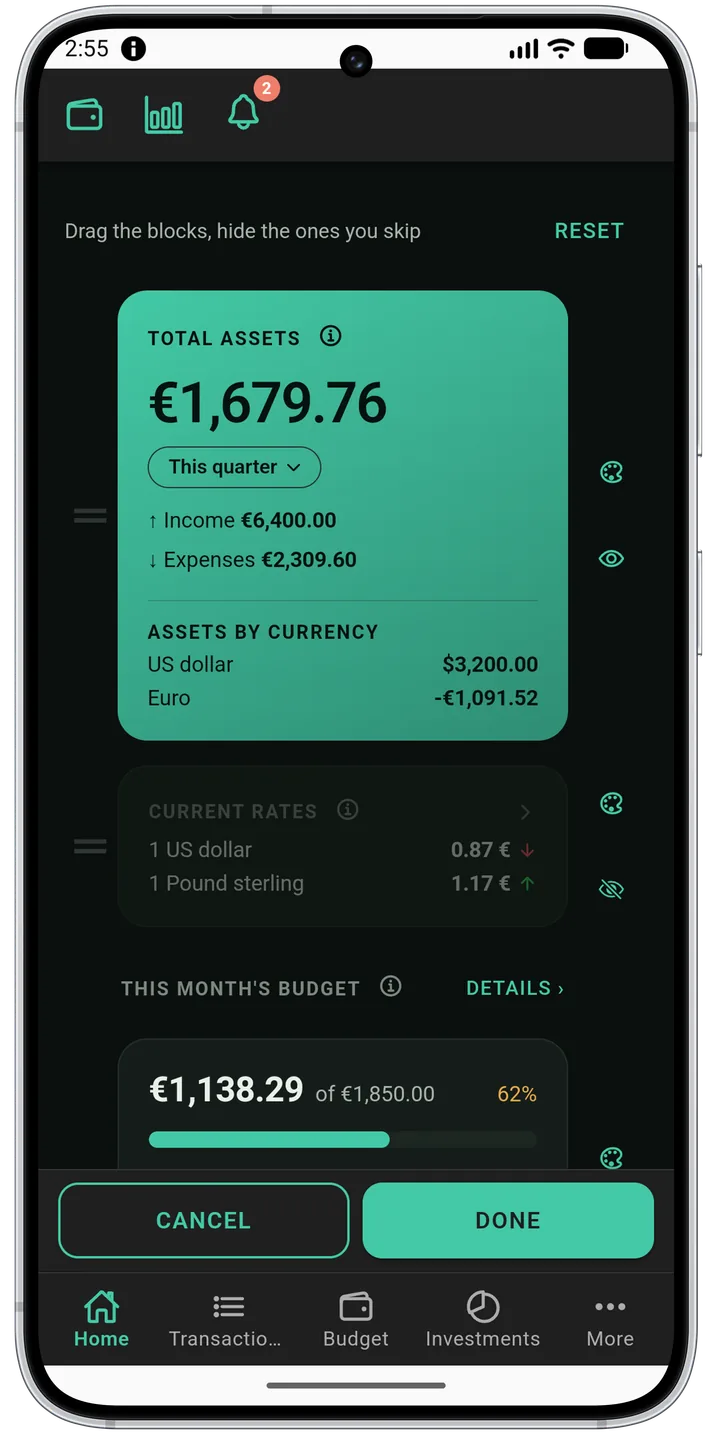
The home screen is yours to arrange
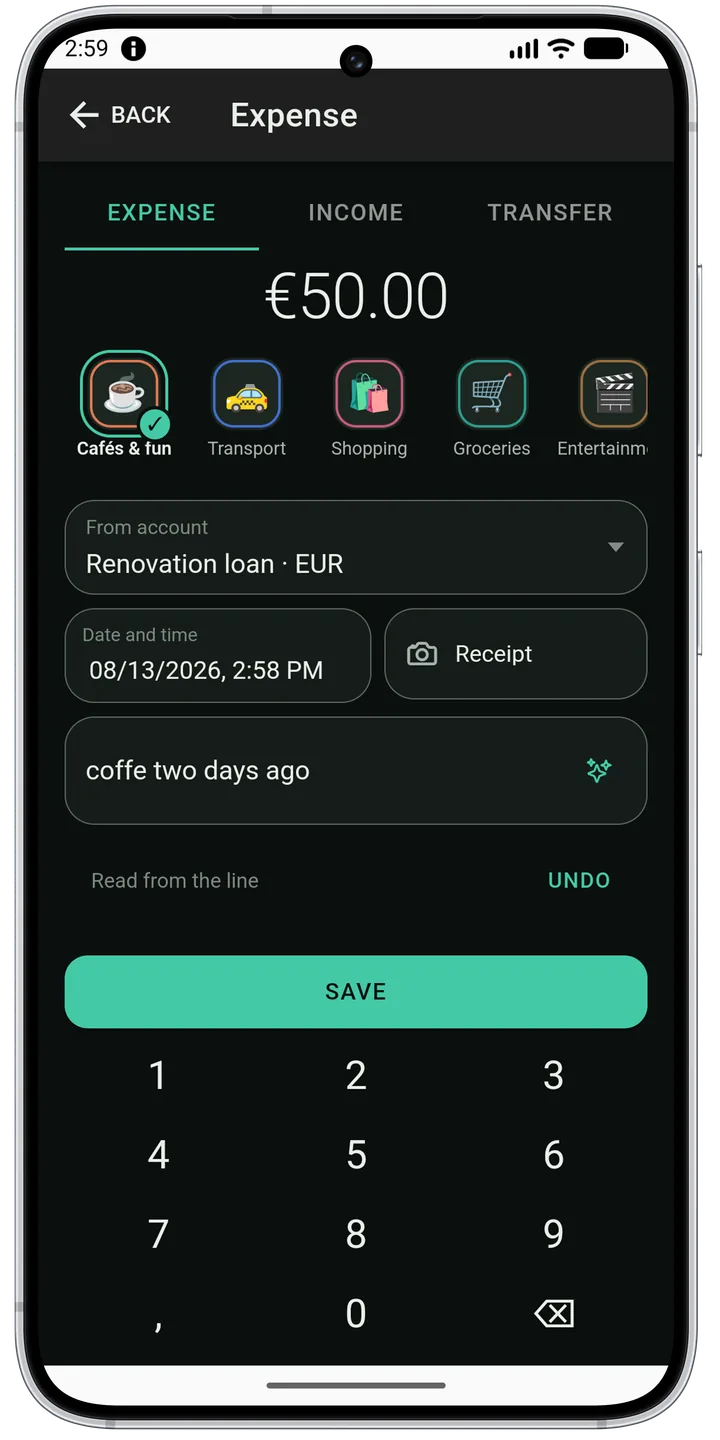
An expense in a few taps
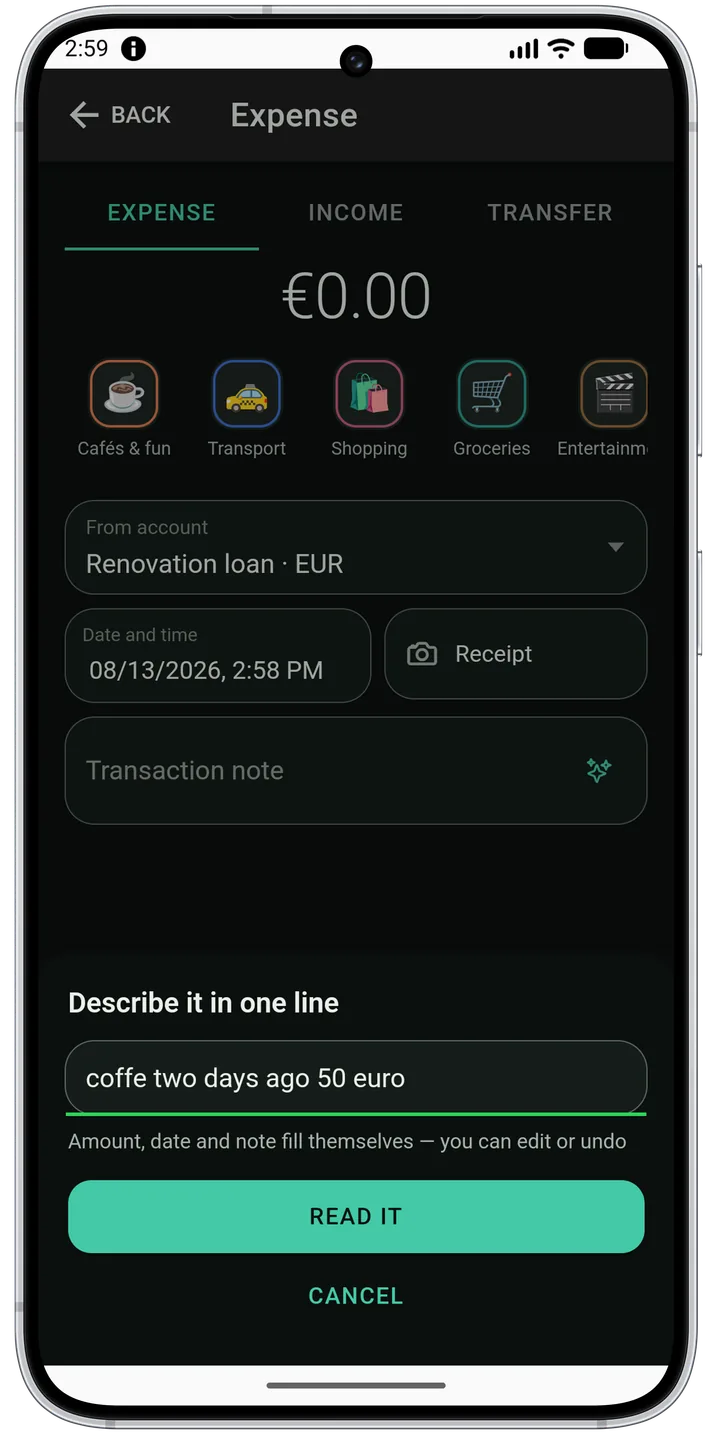
One line instead of a form
The receipt becomes the line items
The receipt stays with the expense
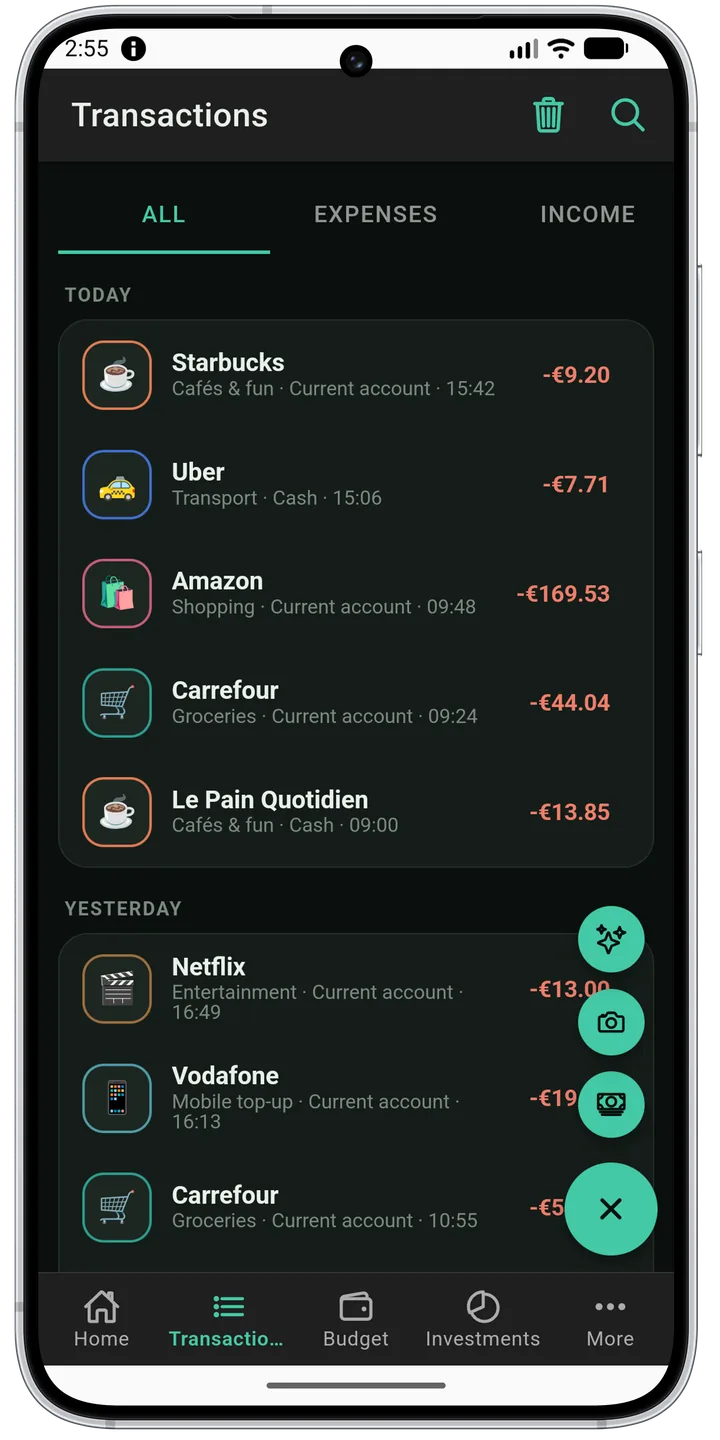
Transactions, grouped by day
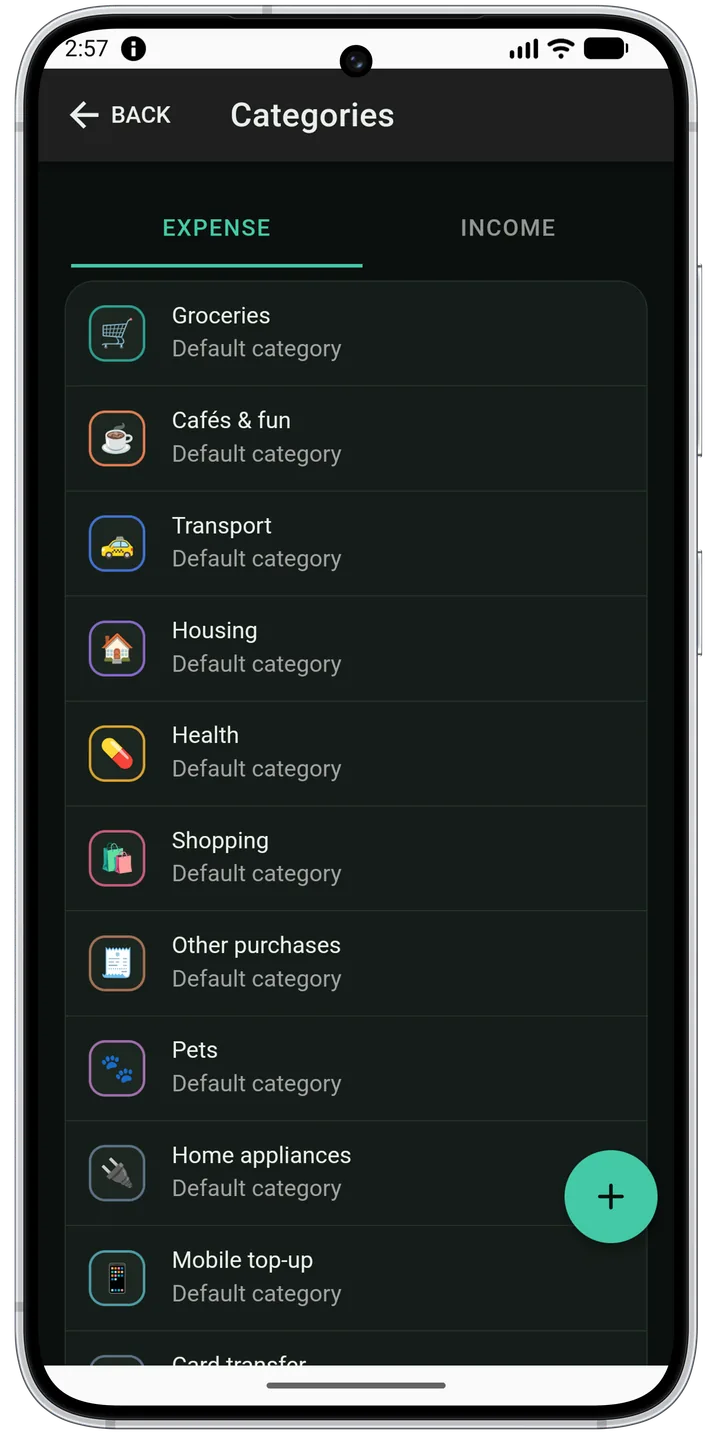
Categories and rules of your own
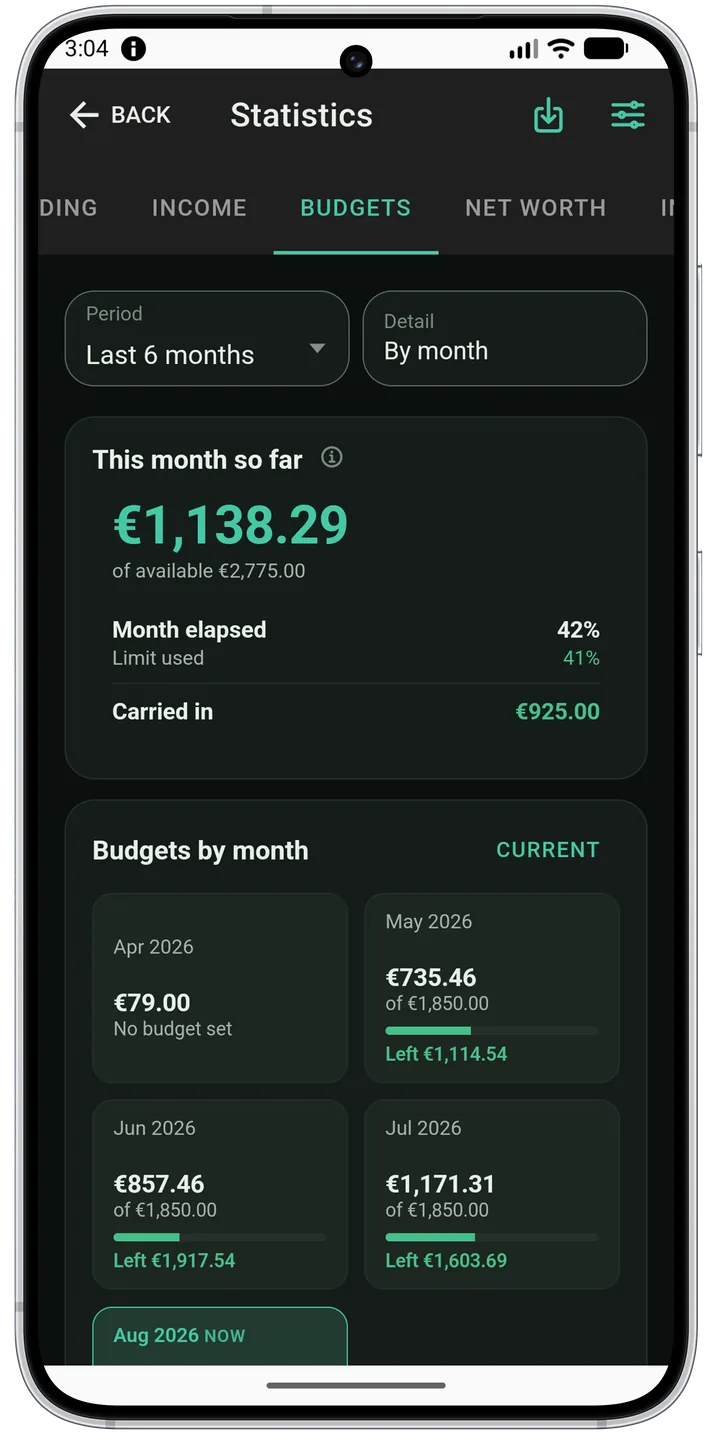
A budget that carries the leftover
Spending week by week
Where the money went
Categories, week by week
The budget archive by month
Utilities: seasons and reasons
Credits with schedule and payments
Portfolio and allocation
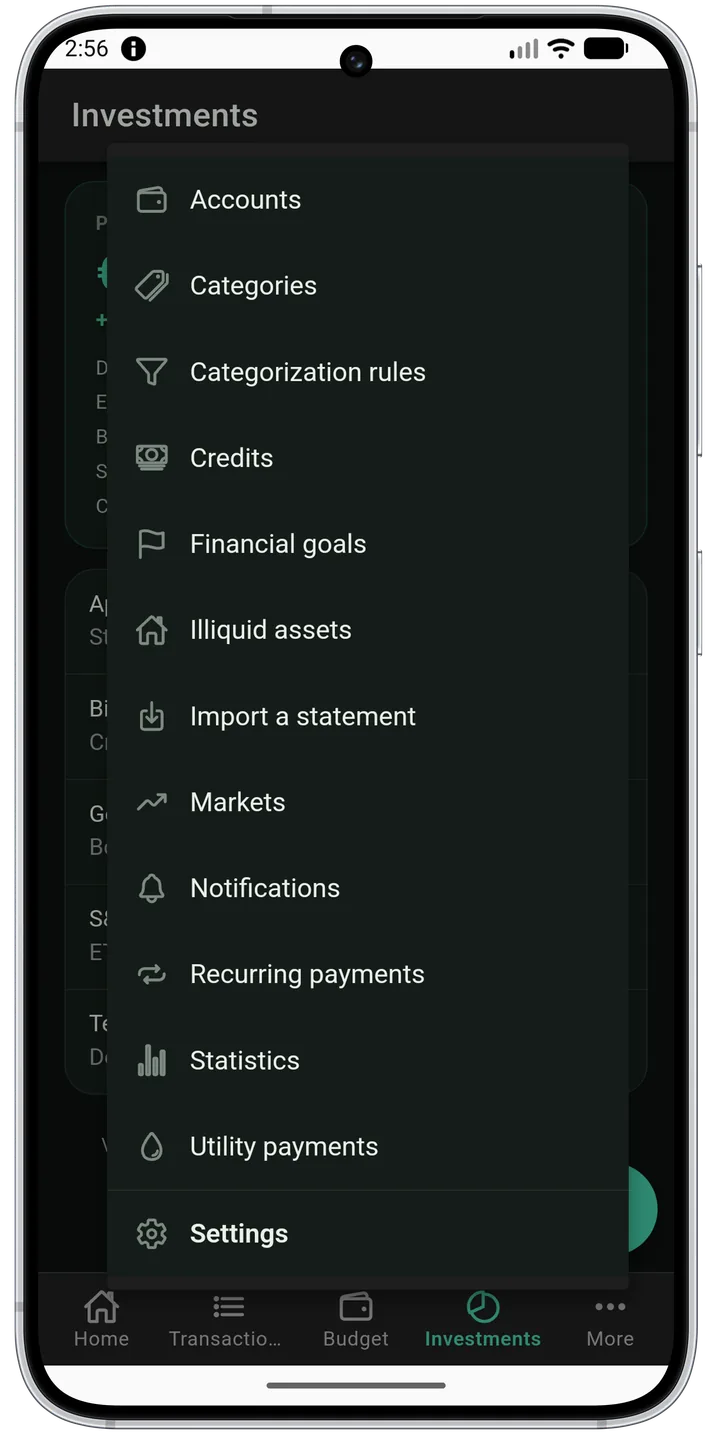
Everything else, in one menu
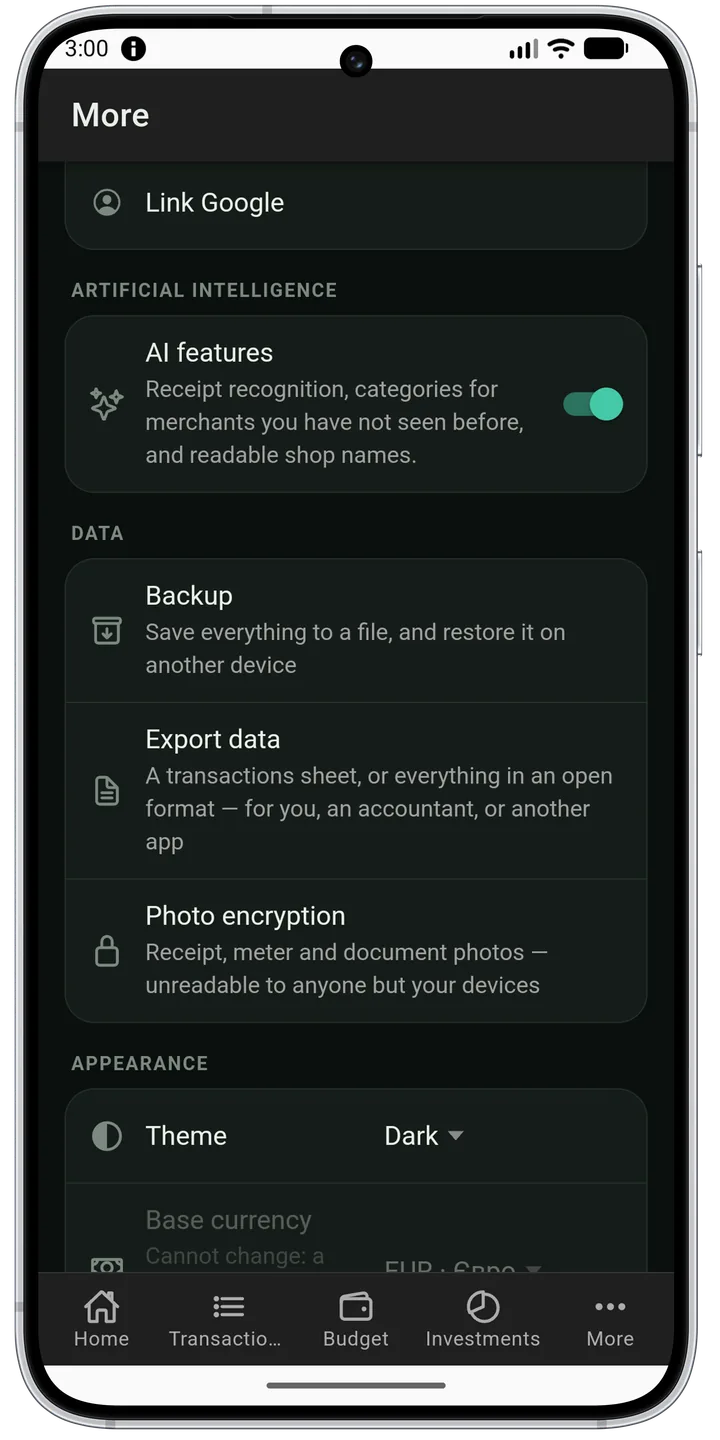
Security: biometrics, PIN, 2FA
A backup behind a password
Your data is yours to take
Widgets: the budget and the balance without opening the app
Features
How it works
One page per feature: a short video of the real app, and the same path in words for anyone who would rather read than watch.
Yes — once you have signed in. Signing in needs a connection exactly once, because that is when the server issues the session. After that the app is fully usable offline: you can add transactions, view statistics and manage budgets, and it opens with no network at all — the session is restored from the device. If your tier includes sync, changes reach the server as soon as you are back online.
Do I have to give you my bank login?
No, and there is nothing to give: the app never asks for a bank login or password and has no way to use one. Transactions come from a statement file you export yourself, so nothing of yours is connected to anything of ours.
What exactly does the AI see?
Only the receipt photo you took yourself, or a transaction description from a statement. Amounts, balances, your account names and your personal details are never sent, and a transfer whose description names a person is not sent at all. Every AI feature can be switched off with one toggle.
Which banks’ statements can I import?
Any bank’s. There is no list to be on: you export CSV, XLSX or PDF from your bank and point out the date, amount and description columns once. The mapping is remembered, so the next file from the same bank is read straight away.
What happens to my data if I stop paying?
Nothing disappears. You lose access to paid features and to sync, but your entire history stays — on the device and on the server — until you delete the account yourself. Viewing your own data never requires payment.
How do I delete my data?
Settings carry an account deletion button. It removes everything the server stored about you and the copy on this device. The action is irreversible — we deliberately keep no shadow copy.
Is there an iPhone version?
Both. It is the same app: Android and iOS are built from one codebase, with the same screens, the same home-screen widgets and the same offline behaviour. Both are published — Android on Google Play, iOS on the App Store — and they ship together, as one version.
Contact
Write to us
A question, an idea or a problem — it all goes straight to the developer. We reply to the address you leave, if you leave one.