Family access: shared money on two phones
Sharing money is not the same as sharing an app. You split the rent and the groceries, but you do not want to show someone everything you own, and you do not want to explain every evening where the money went. Family access shares only what you ticked: an account or a home, with its history and its budget. Nothing else.
Author: Oleksii Itseksonthe developer of FinLad, and its user since 2025
Published: Updated:
How it works
- 1
Open Settings, then Family access, and tap Create a family. While nobody has joined, the screen says so: a family really starts once you invite someone.
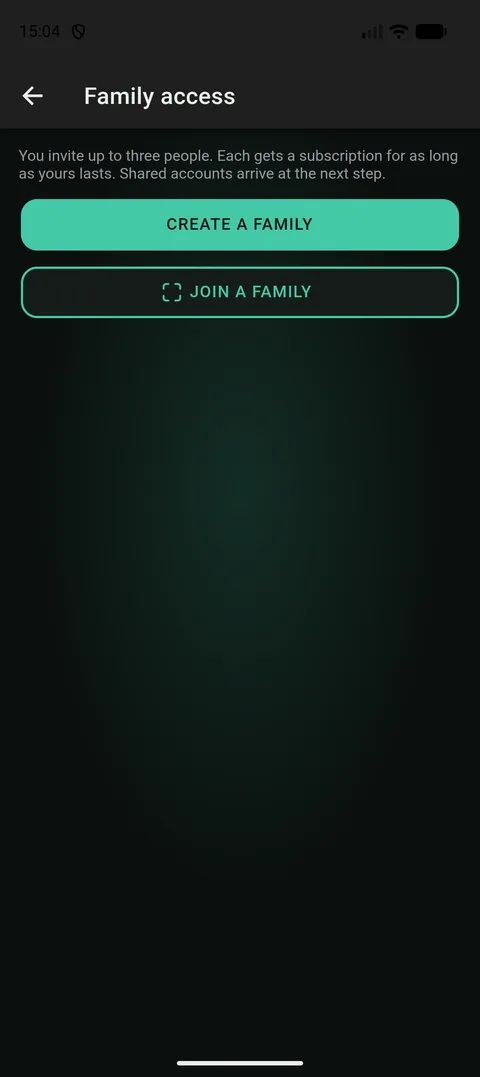
The empty screen says plainly that there is no family yet and where to start. It is the first screen you will see. - 2
Tap Invite and show the QR code to the other phone. The same six digits appear on both screens. The other person sees «join this family?», you tap Let them in, and only then are they in. It is the same handshake the app uses to pass your key between two of your own phones.
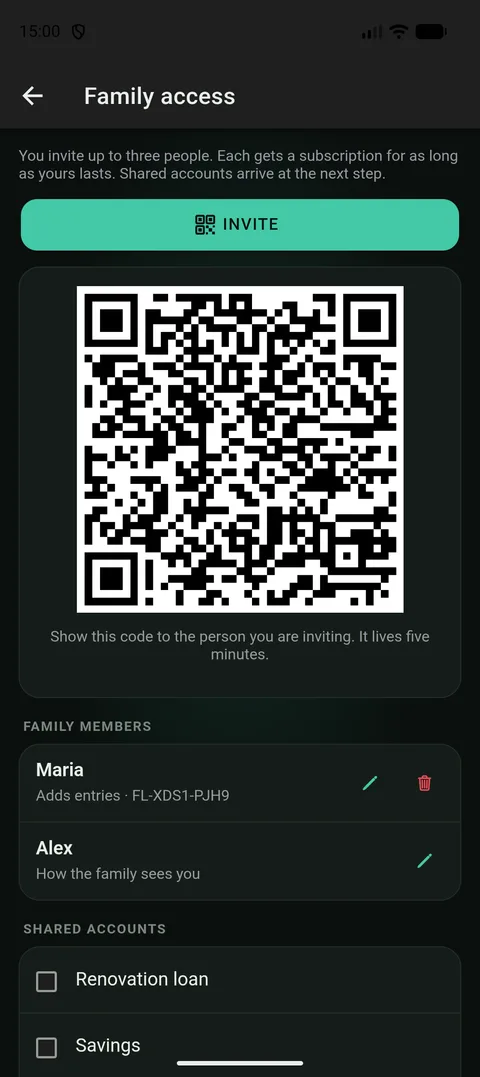
You show the QR code to the other phone. It lasts five minutes; after that you open a new one. - 3
Choose what they can do: Views only means they can read the shared accounts, Adds entries means they can also add and edit records in them. The server checks this on every change to someone else’s record, so it is a real rule, not just a hidden button.
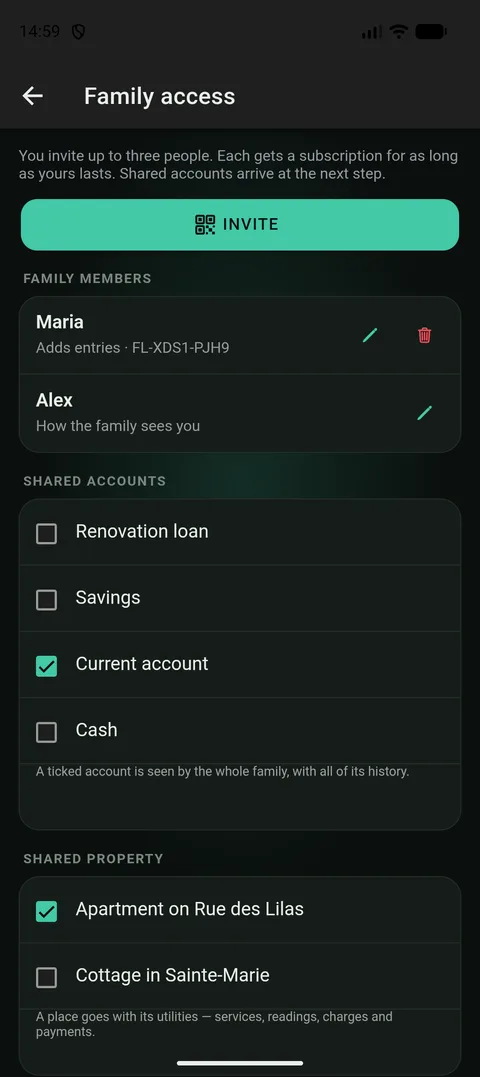
The access level is visible in the member list and can be changed. The owner is in the list too — a family is not «the others». - 4
Tick what you want to share: an account or a home. An account comes with its transactions and its budget. A home comes with its utilities: services, meter readings, bills and payments. Before you confirm, the app warns you that the account is shared whole, including everything from before this person joined.
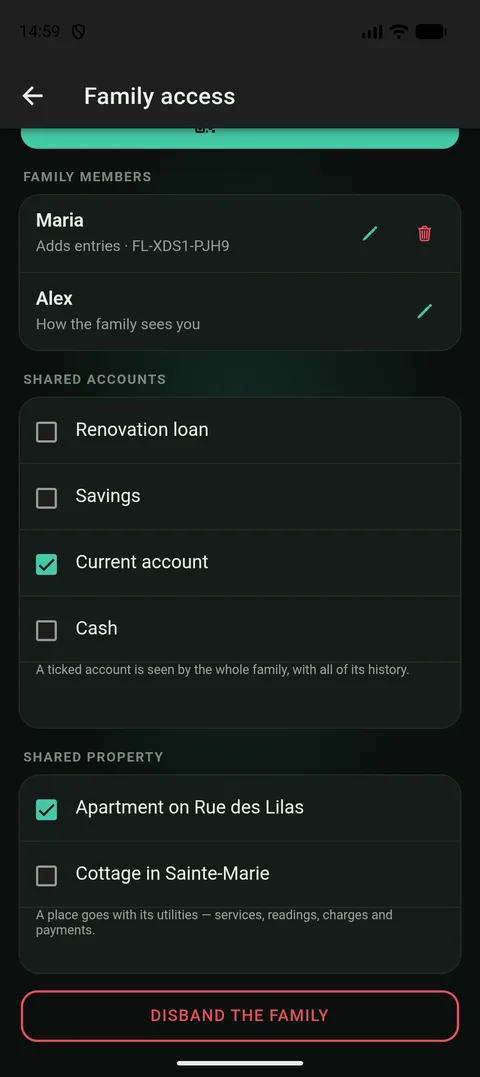
Accounts and homes are ticked on one screen, one at a time. Nothing is shared «by default». - 5
On the other phone the shared things show up as a profile, the same financial profile you already know. In the list of transactions every shared record shows who added it. That person’s own money is not visible to you at all.
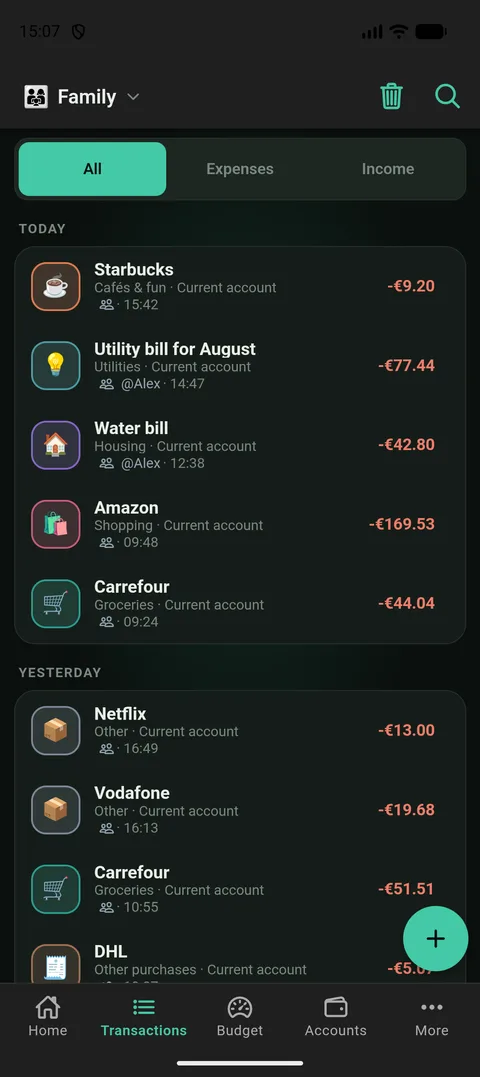
In a shared profile every record shows who entered it. Otherwise shared bookkeeping turns into an argument.
First a key, then permissions
Your records in FinLad are locked with a key that never leaves your phones. The server stores them but cannot read them. So «sharing» here means first handing over a key, and only then setting who may do what. No permission setting can let another phone read something it has no key for.
The family key is handed over the same way as the invitation: from phone to phone, confirmed on both screens, with six digits that have to match. The server only carries a sealed envelope. It has nothing to open it with.
When you remove someone from the family, the key is changed. That protects everything from now on. It cannot undo what they have already seen, and the app says so in plain words rather than pretending otherwise.
What comes with a shared account — and what stays yours
- Comes along: the account’s transactions and its budget. For a home: its utility services, meter readings, bills, payments and tariffs. Your categories come along too, otherwise a shared purchase would arrive without a name.
- Stays with you: goals, loans, recurring payments and investments. They stay private even on an account you shared.
- Photos stay with whoever took them. A receipt, a photo of a meter, a page of a bill are locked with the key of the phone that took them, and the other side never sees them. Either of you can photograph a shared expense, and each of you sees only your own photo.
- A member’s own money is never visible to the family owner. Sharing goes one way and one thing at a time: you shared an account, not your whole app.
- A member cannot open a home’s card: the papers on a flat are about someone else’s property, and its value is shown in the list anyway. The utilities, which are the reason a home is shared at all, have their own screen.
Views only, or adds entries
Views only means reading the shared accounts: transactions, balances and the statistics made from them, without changing anything. It is the right choice for someone who wants to know how much went on groceries and has no wish to keep the books.
Adds entries means adding and editing records in the shared accounts, entering meter readings and utility payments. Their records go into the owner’s books. That is why a household ends up with one set of meters rather than one each. The list shows who entered what.
Homes are read-only for everyone, including those who add entries. Changing a flat’s value, selling it or removing it is a statement about someone else’s property, and no access level allows that.
The server checks the level on every change to someone else’s record. A hidden button is a convenience; a refusal from the server is the rule.
A shared budget is written in categories, so the categories are shared too
A budget in FinLad is a set of limits by category. For a shared budget to mean the same on two phones, one purchase has to be called the same thing on both. So the owner’s categories come along with the shared records. A category that arrives this way is only a label: it names someone else’s records and never shows up in your own lists, which is what keeps «Groceries» from existing twice on one phone.
Everyone who adds entries can edit the shared budget, not only the owner. Shared money with a plan that only one person may touch is a plan the others work around.
Rules that sort payments into categories come along too, but not all of them: only those that have already sorted at least one shared payment. A rule names a shop, so a whole list of rules describes someone’s week. A rule that already explained a payment the household can see reveals nothing new, and that is the whole test.
A member’s subscription, and when a family ends
Each member gets a free subscription that copies yours: the same end date, updated when yours changes, and gone when yours ends or they leave the family. Without it the invitation would be into a family whose records they could not receive, because a free account does not sync.
When someone leaves the family, whether you removed them, they left, or your subscription ended, they keep everything they entered themselves and lose the shared accounts, which were never theirs. The screen says which of the two is happening.
If you delete your account, the family ends with it, but the free subscriptions do not. They run to the end of the period you paid for, because it was paid for, and a purchase does not stop being valid because the buyer left.
Which plan you need
Family access is part of Plus. A paid account creates the family and invites up to three people. Each of them gets a free subscription that copies yours for as long as they are in the family.
Worth knowing
- Joining works from a phone only: it needs a camera for the QR code and a confirmation on both screens. The browser shows who is in the family but cannot invite anyone.
- An account is shared whole, including the history from before this person joined. The app says so before you confirm, not after.
- Removing someone changes the family key. That protects what comes next and does not undo what they have already seen. The app says it in exactly those words.
- Photos are never shared: a receipt or a photo of a meter stays on the phone that took it, even on a shared record.